Case Study · Process Documentation

Trafalgar Labyrinth

Case Study

VDES 34444 · Interactive Narrative · Sheridan College · Winter 2026

Yiyang · Andrew · Henry · AI

A cross-medium interactive narrative spanning web, AR, VR, and physical space, developed over 14 weeks by a team of three designers + AI.

Read the Process ↓

Context

Course
VDES 34444 — Interactive Narrative
Program
Bachelor of Interaction Design, Sheridan
Term
Winter 2026 (14 weeks)
Team
Yiyang, Andrew, Henry + AI
Platforms
Web Hub · AR · VR · Physical · WebGAL
Tools
HTML/CSS/JS · Zappar Mattercraft · A-Frame · WebGAL · Claude · So-VITS-SVC
Client
Steve H
Deliverables
P1 Narrative · P2 Mapping · P3 Cognitive Walkthrough
Constraints
Low/no budget · Sheridan print services (B&W & color) · Phone-first · 15-min session cap · AI used sparingly (AI-taxes) · Zappar AI credits unused

The Trafalgar Labyrinth is a trans-media interactive narrative that turns Sheridan’s campus network into a digital maze. Players see an on-campus poster about a Greek game, scan the QR code, and enter the web hub — becoming Theos, a player recruited by ARI to help secure compromised areas in the network before the Minotaur system spreads. Every platform is a space within the labyrinth — designed to disorient. Players are pulled across media and made to feel genuinely lost, yet the underlying architecture always moves them toward the exit. The maze is the disguise; the progression is the design.

What We Built

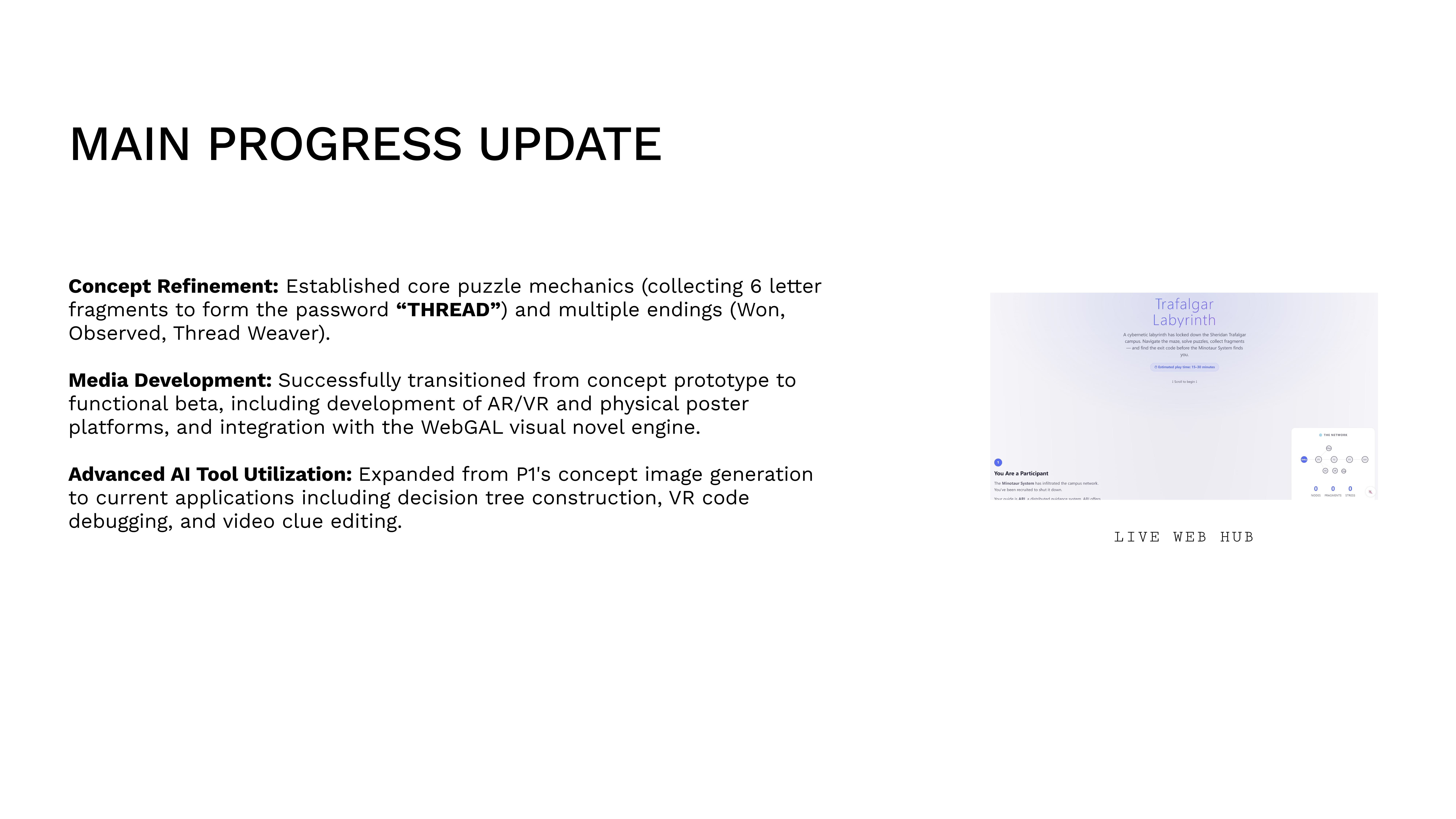
A hub-and-spoke experience across 6 platforms: a web game hub with puzzle locks, a WebGAL visual novel, an AR poster overlay, a VR escape room, physical campus artifacts, and three distinct endings. Players enter the digital network through the web hub to help ARI secure compromised areas within Sheridan’s network — collecting fragments of the password “THREAD” to defeat the Minotaur system and escape the labyrinth.

Why This Approach

The Theseus & Minotaur myth gave us a clear antagonist, guide, and goal. But more importantly, it justified every platform as a distinct corridor inside the maze. A maze aims to confuse — so each platform introduces new rules, new media, and new disorientation, while the system beneath always moves the player toward exit. The experience is designed to mesh technology, art, and storytelling into a single seamless illusion: Sheridan’s own network, hacked.

What This Document Covers

The design decisions, dead ends, AI integration, testing insights, and process reflection from concept through to final deployment. A reader who has never played the game should understand our methodology from this page alone.

The Design Problem

How do we design a narrative that survives across four disconnected media without losing coherence — and keeps a campus audience engaged for 15 minutes?

Students scroll past posters daily. Traditional interactive fiction stays inside one browser tab. We identified two core tensions that shaped every subsequent decision:

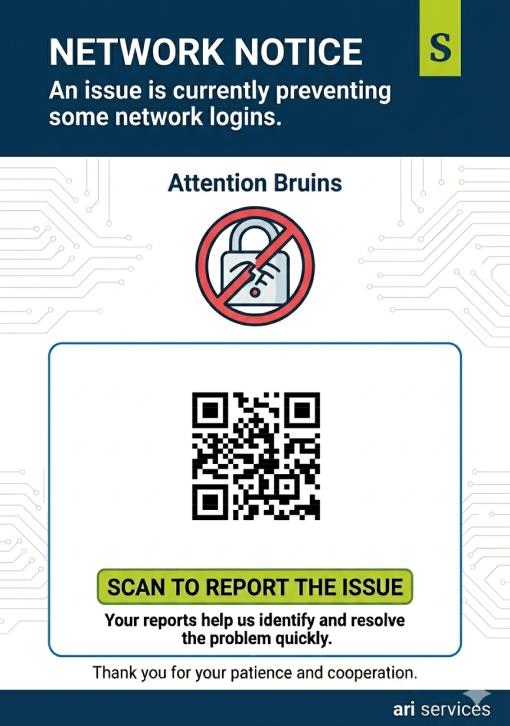
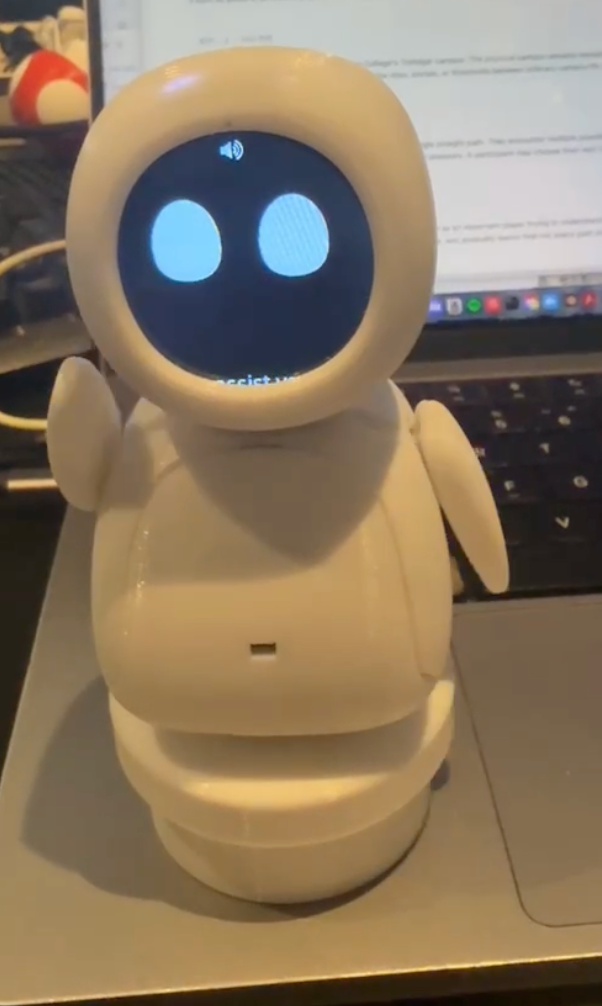
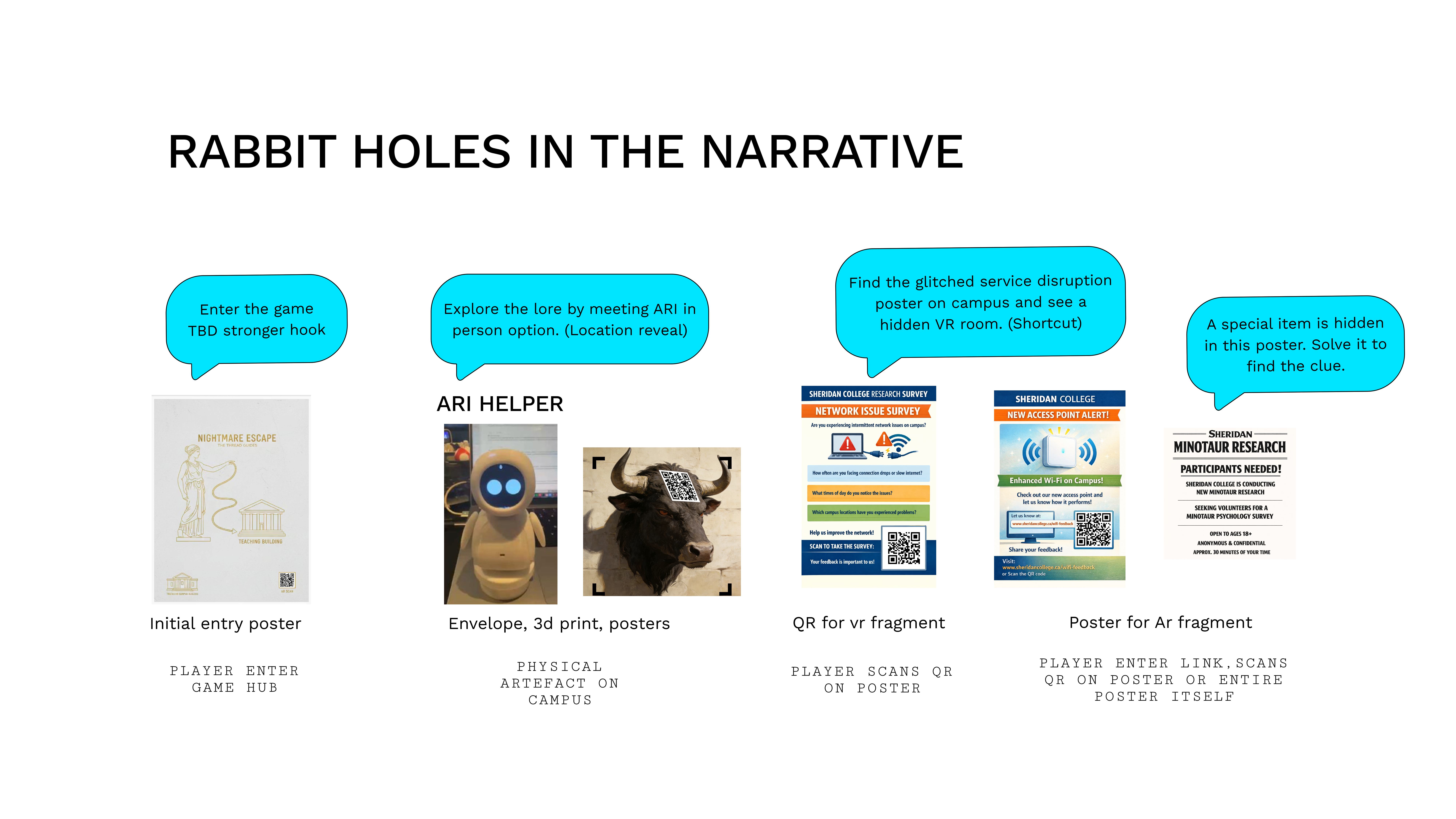
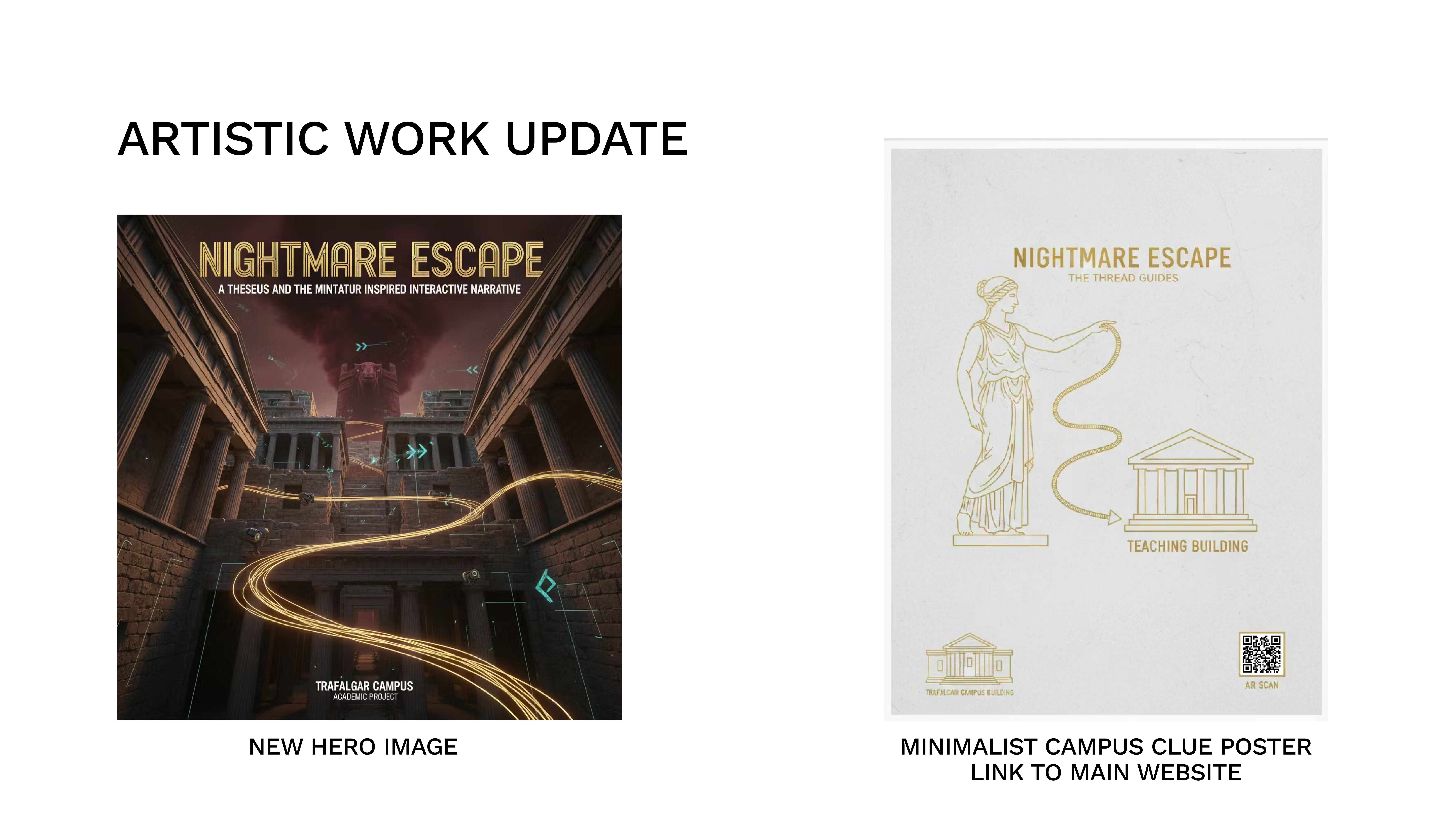
Attention — The entry poster was designed as a contrast to the bright, attention-grabbing posters already fighting for student notice on campus. The Greek-themed poster was kept minimal and iconography-heavy — leading the audience’s gaze from the title to the figure, then the coliseum, and finally the entry method (QR code). The network-error poster below it intentionally reads as real campus signage. Players scanning posters create visible “digital play” moments — others seeing someone interact with the air may become curious and try the experience themselves. ARI, the physical helper model, stays behind the scenes as both a digital and physical presence from start to end, providing help through the web hub panel — and is revealed physically to players who reach the true ending.
Coherence — Spreading a story across web, VR, AR, and physical objects risks fragmentation. The narrative needed a single unifying mechanic (collecting fragments of the password “THREAD”) that ties every touchpoint together.
Accessibility — Sheridan Trafalgar campus students are the core audience because they have existing campus knowledge and are more likely to complete the game due to technology-savviness. AR/VR reliability varies across student devices, so the architecture degrades gracefully — no player is blocked by a glitch in one medium. Physical environments were chosen where IoT devices are prevalent (to support ARI’s “omnipresent” lore), where spaces feel spooky or utility-like (to create secret spaces within the network metaphor), and where student traffic is high (J-wing, library, artist alleyway, AA building) to maximize visibility.
Scope — The scope was intentionally kept large because of the natural complications of blending a linear String of Pearls story structure with a Hub & Spoke layer on top. This is complicated further by the requirement for successful transitions across all media platforms — each hand-off between web, physical, AR, and VR had to feel seamless within the narrative fiction.
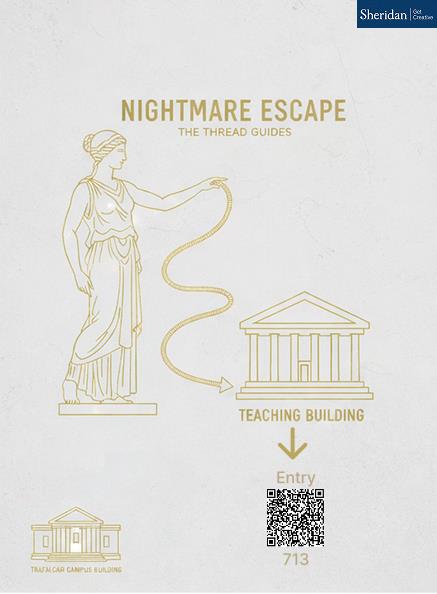
Greek mythology Ariadne entry poster with QR code — the primary entry point
Greek Entry Poster — the intended first scan
Disguised network-error campus poster blended with real campus signage
Network-Error Poster — blended into campus, placed below

Process & Methodology

Three formal deliverables, each building on the last. The tabs below document how we got there — not just what we made.

Goal

Develop the interactive narrative itself: concept, characters, branching logic, art direction, and a working prototype hub.

Approach

We started with a broad brief: build a trans-media narrative. Early brainstorms explored escape rooms, scavenger hunts, and ARGs. We settled on the Theseus myth because it gave us a clear antagonist (Minotaur), guide (Ariadne/ARI), and goal (escape the labyrinth) — a structure that naturally maps to puzzle-based gameplay.

Each team member prototyped their assigned platform in parallel: Yiyang on the web hub and WebGAL integration, Andrew on VR and physical artifacts. Henry contributed early-stage lore research and story concept development. Weekly syncs ensured the narrative thread remained consistent as each corridor took shape.

Key Decisions

Dual-Mode System

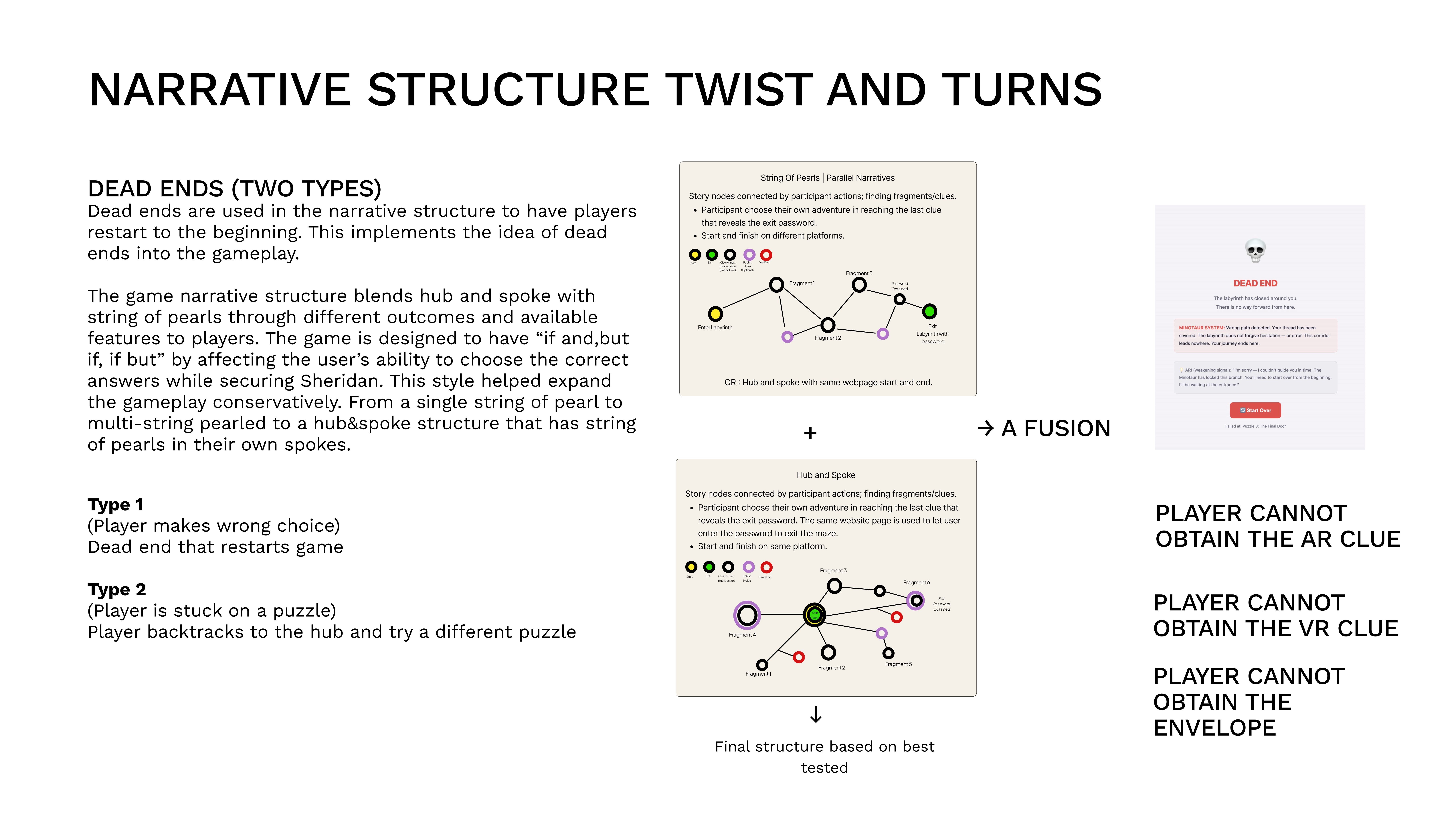
We designed two narrative structures: Normal Mode (String of Pearls — linear progression, AR/VR optional) and Hard Mode (Hub & Spoke — all 6 nodes from start, everything mandatory). This came from realising one structure couldn’t serve both casual and invested players.

Modular Platform Architecture

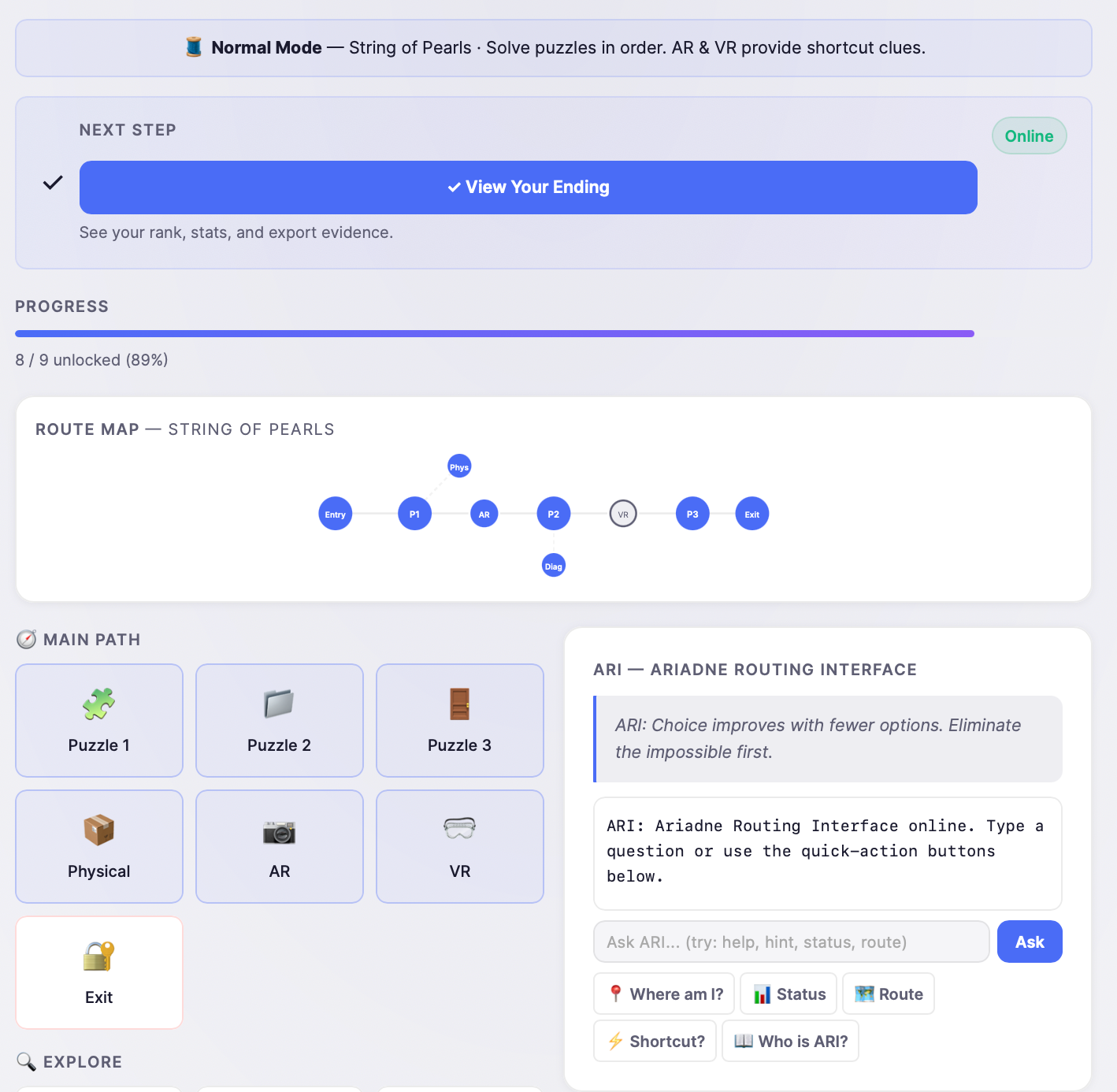
AR/VR experiences on a phone require user knowledge and technological familiarity. To avoid players getting stuck on a specific AR/VR node, we used a Hub & Spoke structure to complement the explorative experience — players can always go back and take another route. The result: linear storytelling through the basic web hub puzzles, explorative play with optional AR/VR (all routed to the common exit), and a hard mode requiring every node. The narrative structure itself changes because of this modular design, giving the game design flexibility.

Reliability was addressed through web integration: AR/VR is accessed via QR codes or direct links from the hub, not as standalone Unity builds. Web-based AR/VR caters around the web hub as a focal point — consistent with the hub/spoke and string of pearls narrative structure rather than requiring a separate access pattern.

Art Direction: Corporate vs. Corrupted

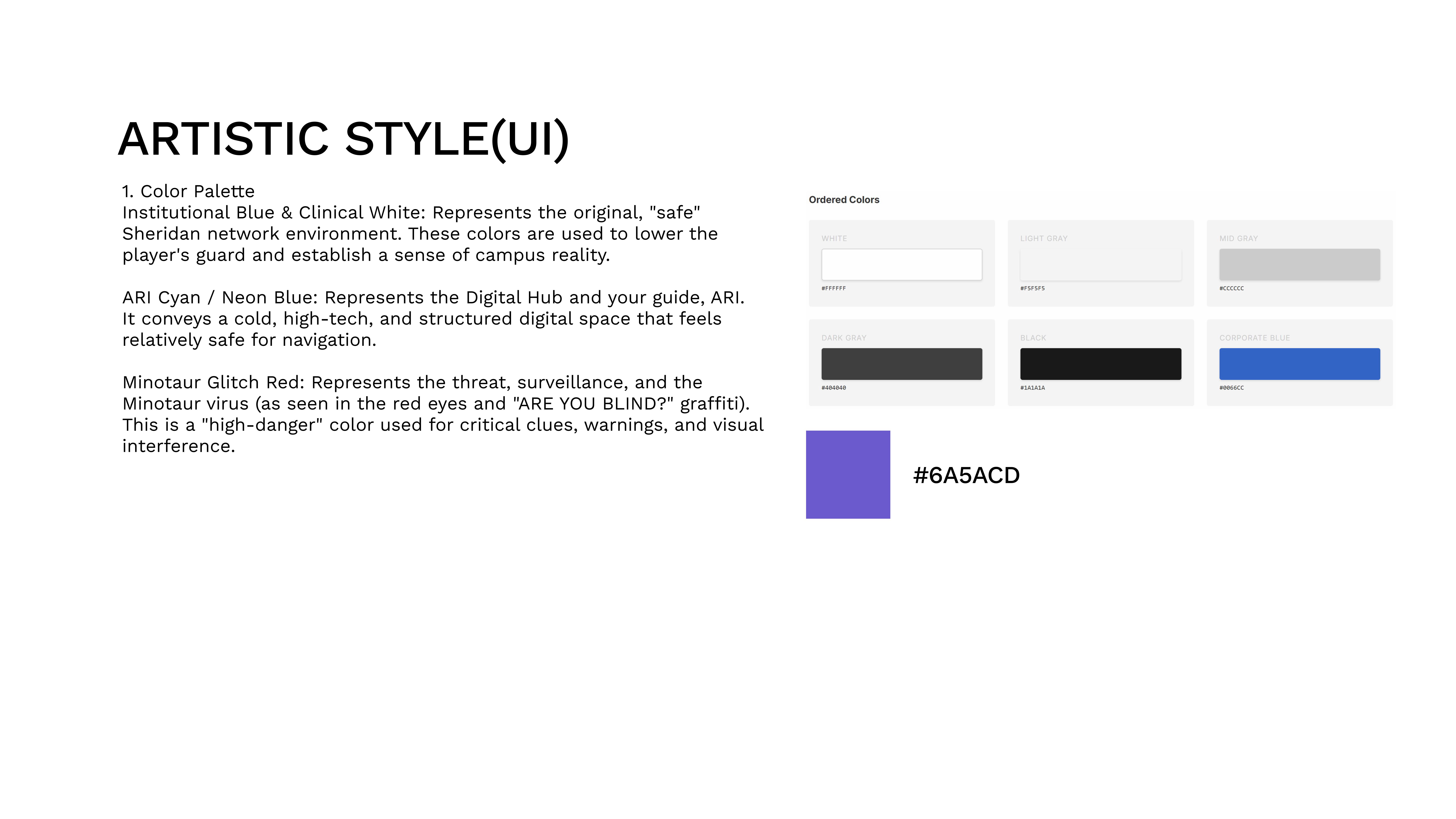
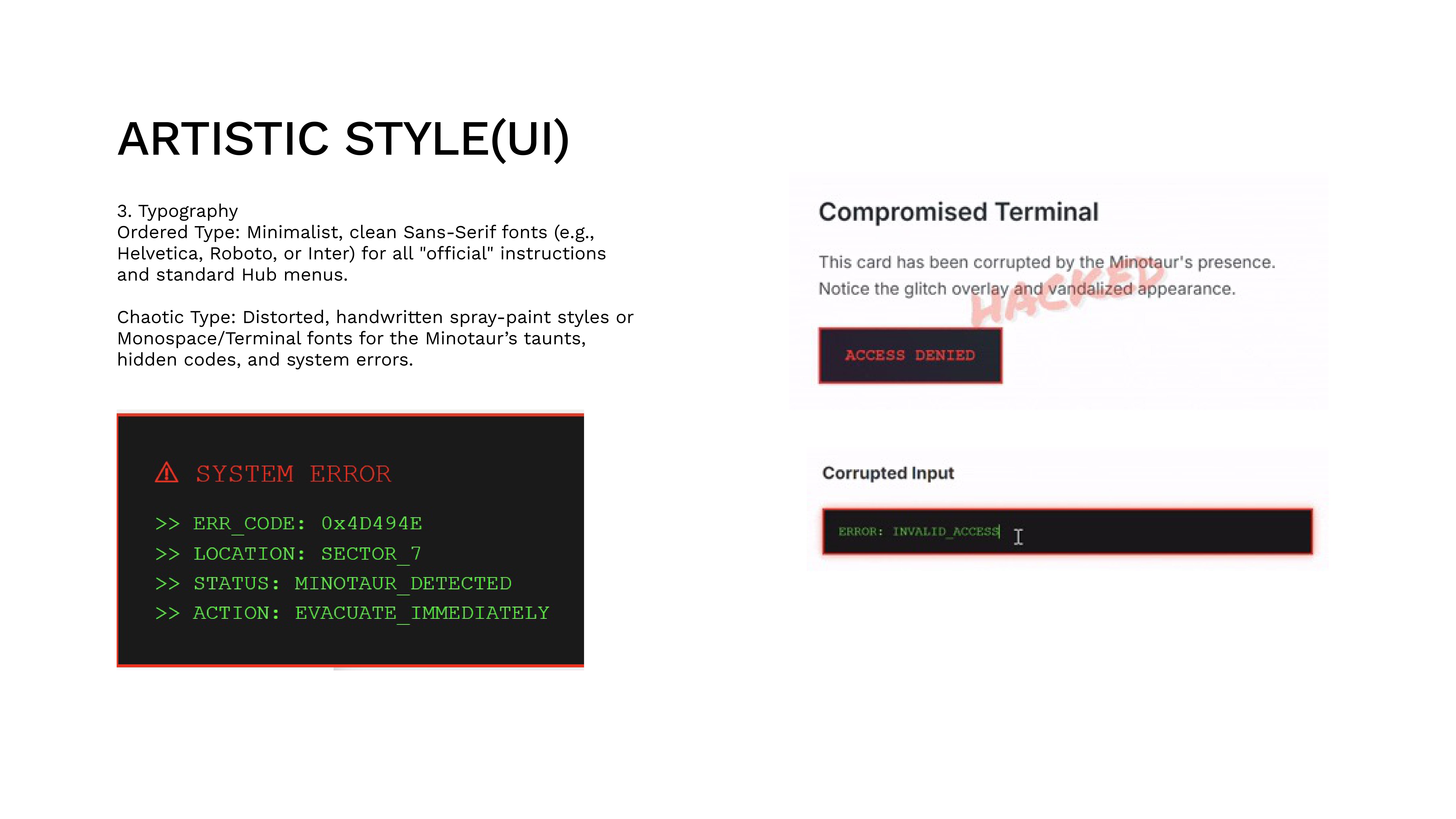
The visual identity is built on the contrast between corporate cleanliness (Sheridan’s institutional aesthetic) and corrupted hacking (the Minotaur system’s interference). The web hub reads as a clean portal being destabilized by glitch effects, distorted text, and hostile system messages — not literal graffiti. The VR room contains a graffiti bottle as a subtle environmental detail, but the WebGAL and web hub remain visually “clean” with corruption expressed through interface corruption rather than surface decoration. The narrative is about a system being hacked, so the corruption is digital, not physical.

Character System

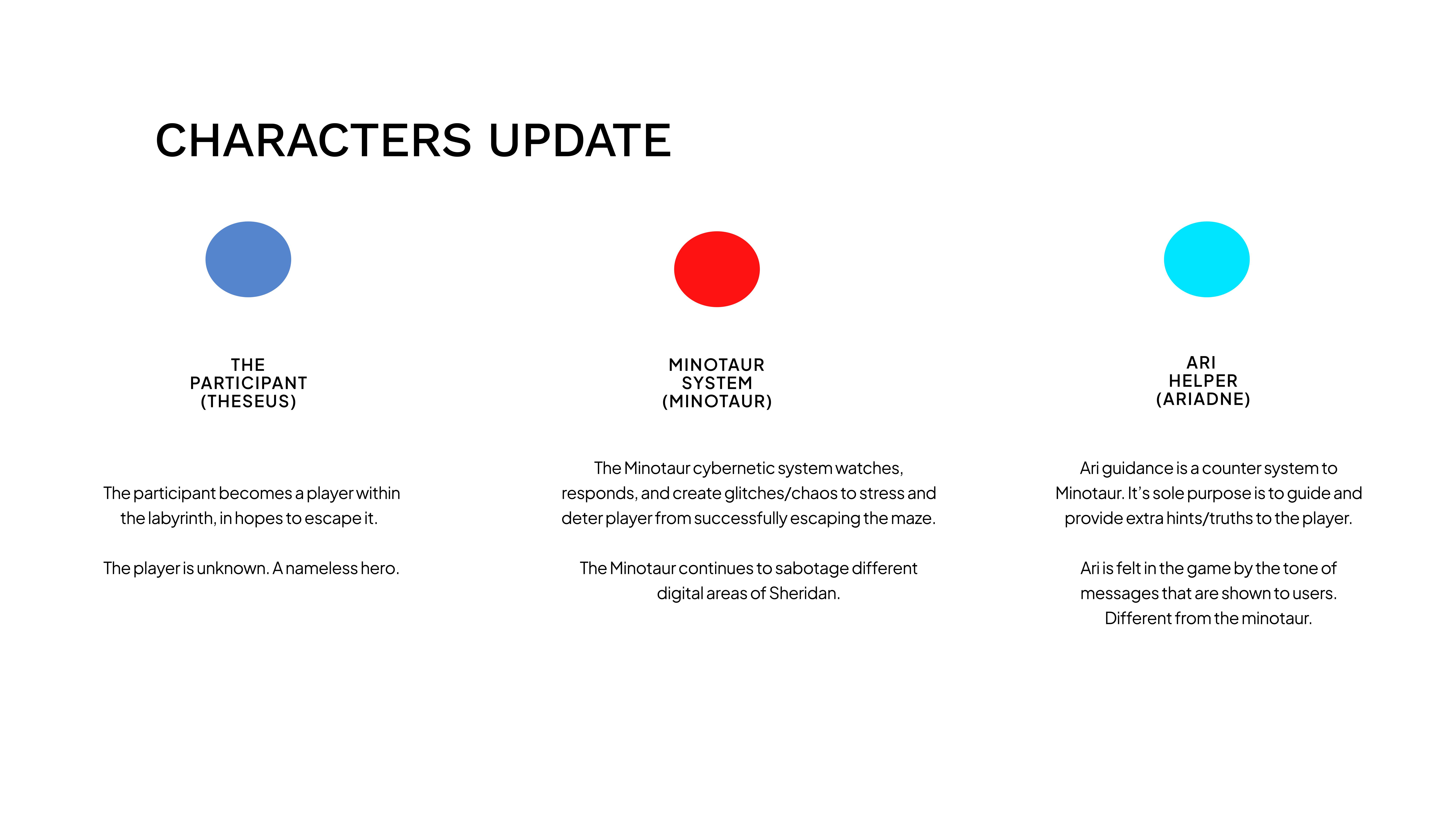
The player is nameless by design (any student can self-insert). The antagonist is a system, not a person — glitches, misdirected links, and hostile messages are the Minotaur. ARI is a counter-system whose calm tone players learn to trust as a navigation tool.

Dead Ends & Killed Features

Killed: Real-time multiplayer puzzle — Yiyang and Henry prototyped a puzzle requiring two players to scan AR markers simultaneously. The prototype was technically impressive and worked well in testing, but it was logistically impossible on a campus where players encounter the experience alone.
Killed: AI-voiced ARI on the web hub — We originally added both voice and text ARI features to the web hub, spending two weeks trying to get So-VITS-SVC to produce consistent dialogue. The voice quality was uncanny in a bad way, so we switched the web hub to text-only ARI — which felt more “system-like” and reinforced the digital aesthetic. Notably, the physical ARI installation does still use voice, where the embodied context makes it feel natural rather than uncanny.

Outcome

A working web hub prototype with three puzzles, entry/exit code logic, a lore page, and the ARI guidance system. The dual-mode architecture was defined but only Normal Mode was playable at P1 deadline.

Visual Artifacts

Early concept sketch of the labyrinth web hub layout

Early hub wireframe sketch

Color palette exploration showing institutional blue to glitch red gradient

Color palette exploration

First working prototype of the puzzle hub interface

Hub prototype — first build

Goal

Map the entire interactive experience: every node, every branch, every platform transition, every possible ending. The P2 deliverable was the architectural blueprint.

Approach

We mapped every player path across all platforms using a node-based system. Each node has an ID, type (web/ar/vr/physical/rabbit), hint text, and a list of nodes it unlocks. This data structure lives in config.js and drives the actual game logic — the map isn’t just documentation, it’s the source of truth.

We built two complete node maps (Normal and Hard Mode) and tested them against paper prototypes before committing to code.

Key Decisions

Two Structures, Not One Hybrid

We chose to build two clean, separate structures rather than fuse them. Normal Mode is a pure String of Pearls (Entry → P1 → P2 → P3 → Exit) with AR/VR branching off after P1 as optional shortcuts. Hard Mode is a pure Hub & Spoke: entry unlocks all 6 fragment nodes simultaneously with no dependencies between them. Keeping them pure made each mode predictable to test and balance.

Config-Driven Architecture

All node data, codes, and puzzle answers live in a single config.js file. As long as the content that needs to be consistent remains consistent across the different modes, we could swap structures, adjust difficulty, and rebalance without touching game logic — a decision that saved us dozens of hours during testing iterations.

XR as Shortcut, Not Gate

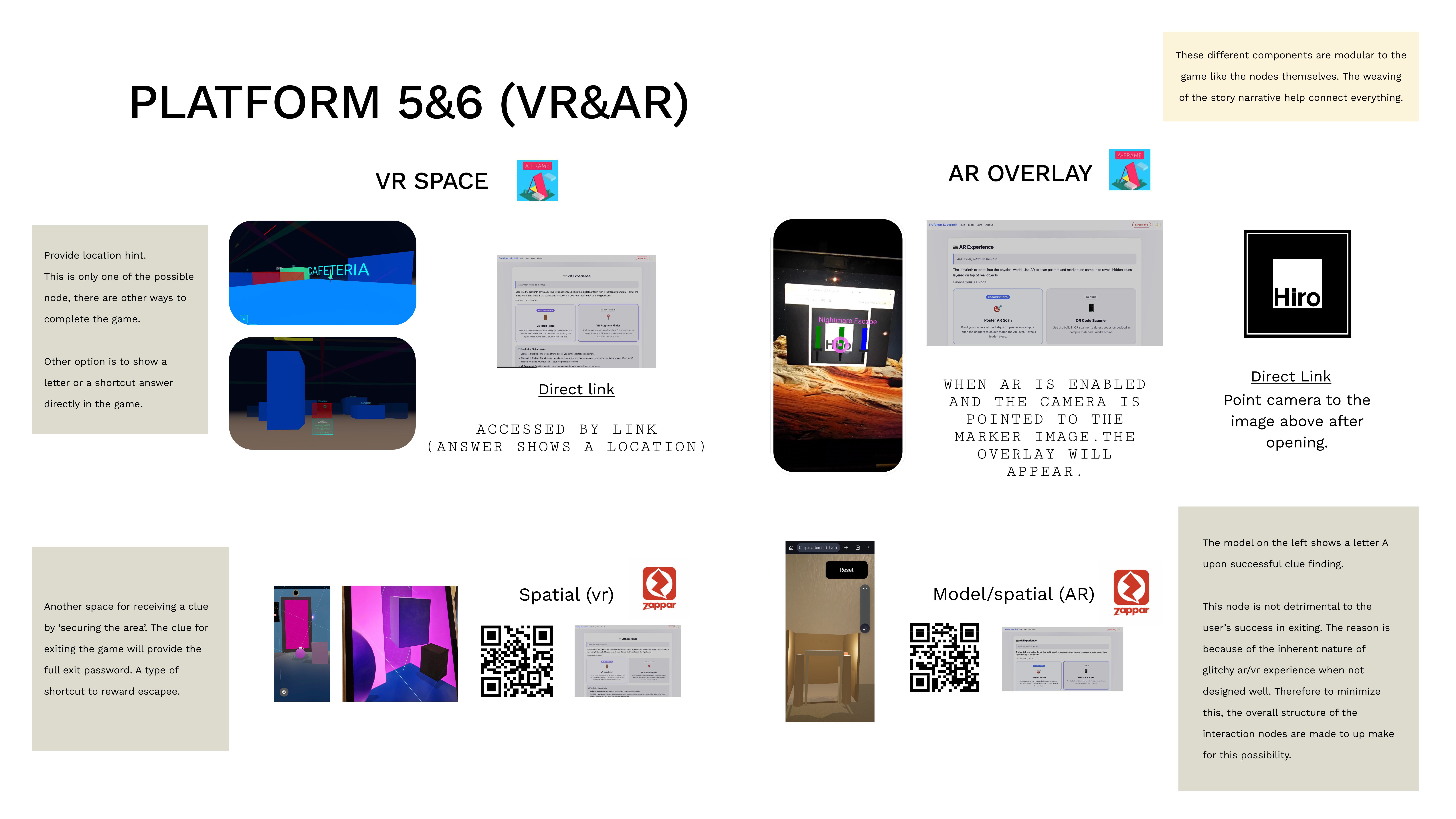
The XR experiences were designed to provide the exit password as a reward for completing a harder interaction. The digital puzzles on the web hub are straightforward choice-based challenges; the AR/VR experiences are more demanding, but the result players get is faster — a fuller answer rather than one fragment at a time.
There are 4 components across AR and VR, placed to provide options to players. If a player chooses to take on the AR/VR challenge, they receive a fuller clue along with a different kind of experience (WebXR). Players who find them skip ahead; players who miss them still finish through web puzzles. Both function as shortcuts, not gates — AR/VR is required by the rubric, but the architecture ensures no single node blocks progression.

The AR/VR platforms themselves are not unreliable — it is the design thinking around possible user errors that makes the experience unpredictable. This was mitigated with simple games and additional instructions, without spoon-feeding players, since player agency is a core theme and the game design emphasises explorative experience. A secondary consideration was technical glitches from phone settings that could halt AR/VR access. This was minimised with settings information, though players are already prompted by Zappar’s own notifications. We assumed players have modern devices since WebXR runs on older mobile devices regardless of Apple or Android — the experience is smoother on newer devices and particularly Apple devices.

Three Endings by Design

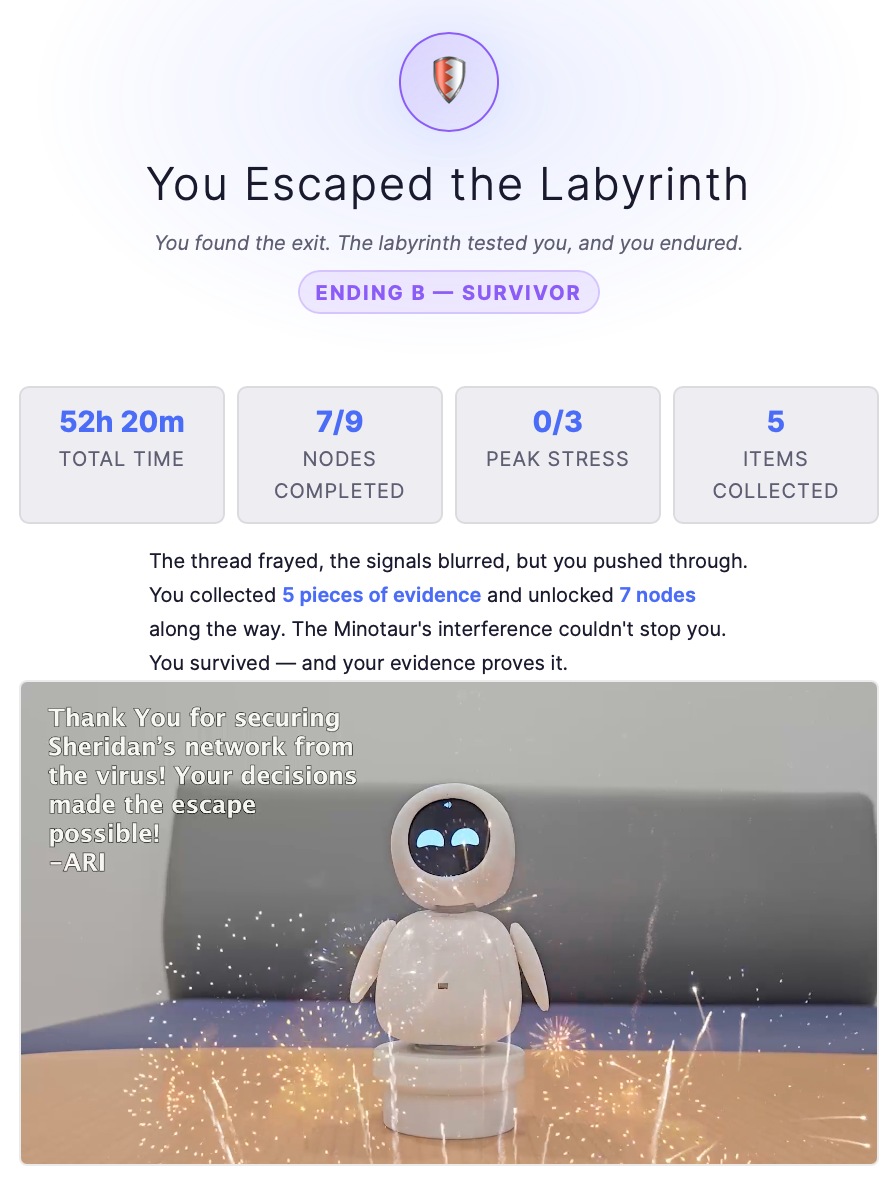
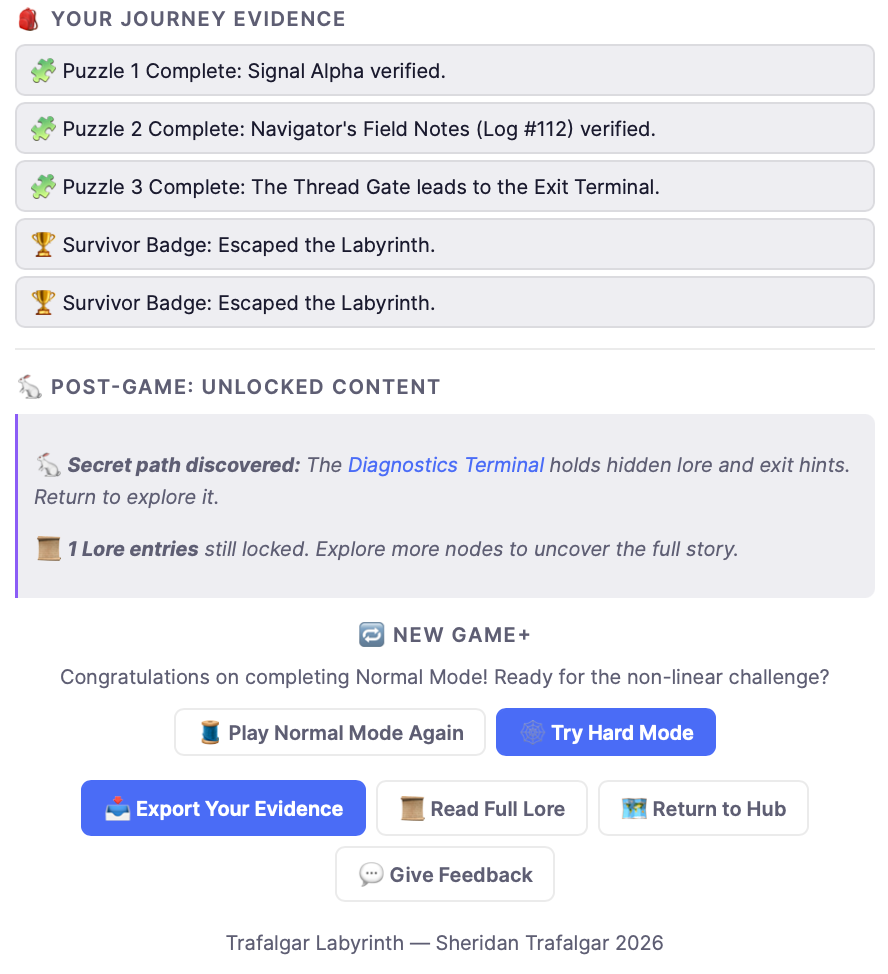
We designed three endings (Won, Observed, Thread Weaver) so the final choice carries weight. These outcomes depend on the player’s choices and their efficiency in navigating the labyrinth, giving the audience a sense of consequence and ownership over their journey.

Dead Ends & Killed Features

Killed: Dynamic difficulty scaling — We prototyped a system where puzzle difficulty adjusted based on player speed. It made the experience unpredictable and impossible to test consistently. Replaced with the cleaner dual-mode system.
Killed: YouTube as external media platform — Bridging the experience from the web hub to an external platform like YouTube would have been easy. However, due to the lore and storytelling requirements, it was found to not be necessary for gameplay or narrative progression. Instead, video was embedded directly on the web hub — bringing the “different media platform” experience to the hub itself rather than sending players away from it.

Outcome

Complete node maps for both modes, a working config-driven architecture, and paper prototype validation. The route structure was stable enough to begin full implementation.
Visual Artifacts

Node map diagram showing all player paths in Normal Mode

Normal Mode node map

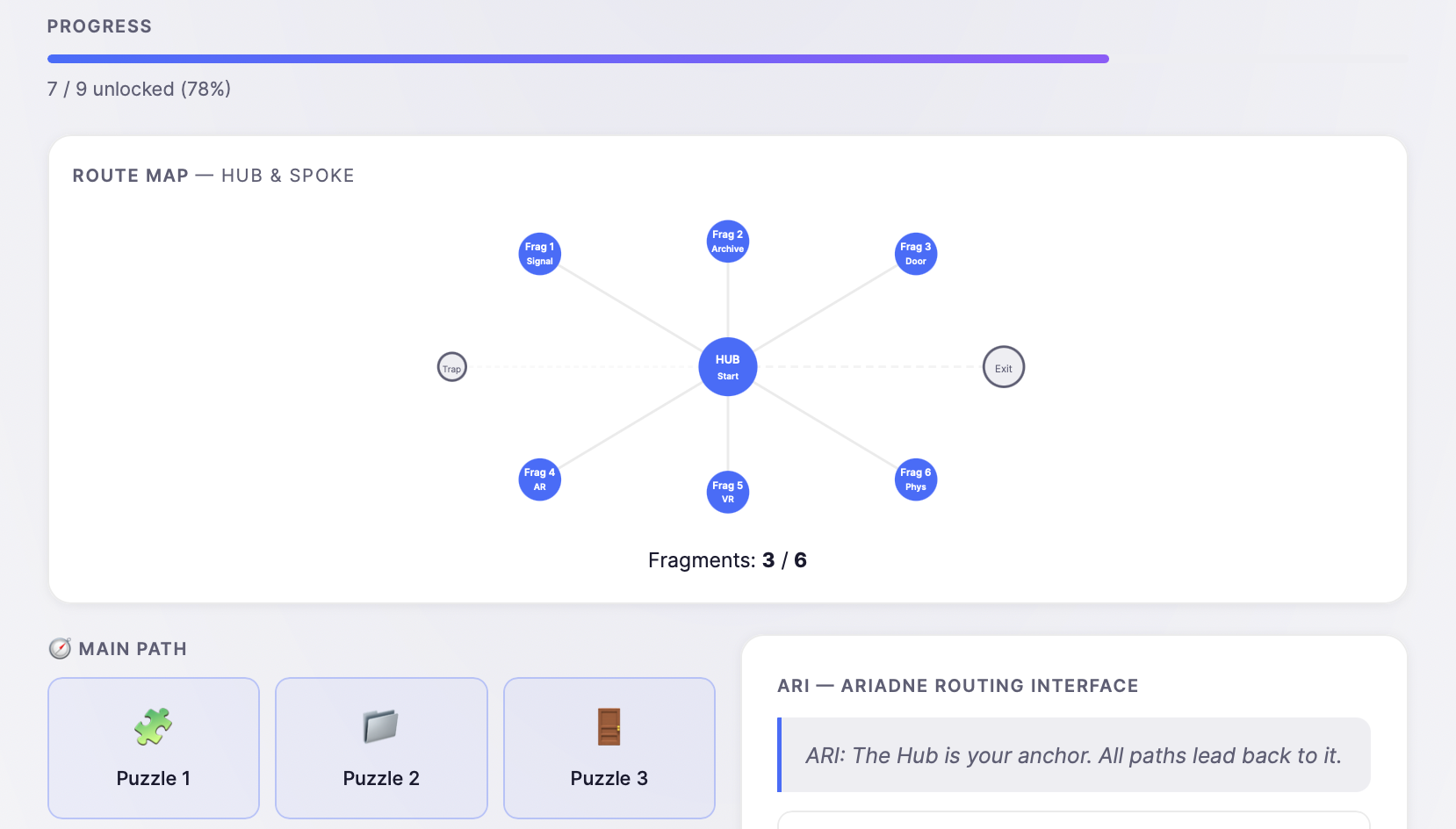
Hard Mode Hub & Spoke route map showing all 6 fragment nodes

Hard Mode route map

Narrative structure diagram showing twists, turns, and dead-end paths

Narrative structure & dead-end mapping

Goal

Conduct a cognitive walkthrough of the complete experience and iterate based on findings. P3 was about breaking our own work and fixing what broke.

Approach

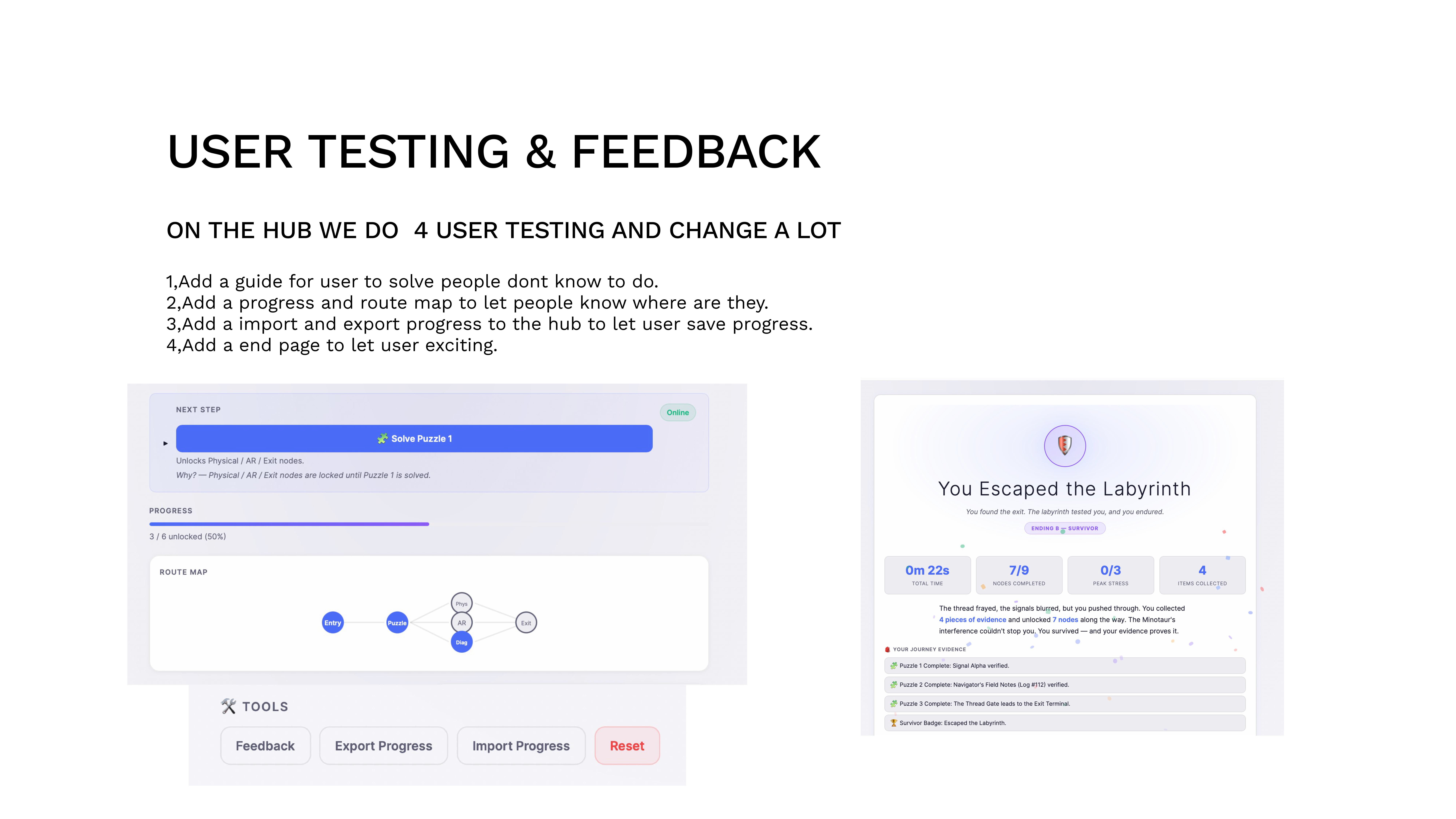
Four rounds of in-person user testing on the Trafalgar campus. We observed testers in real time — watching where they paused, where they got lost, where they left. Every change below came from watching real players struggle, not guessing. The Web Hub and visual novel were tested separately because each medium reveals different problems.

Key Decisions (driven by testing)

Added a User Guide

Problem: Testers didn’t understand the objective. They scanned the QR code then froze. Solution: An onboarding guide that explains the premise and mechanics without spoiling the story. Why: We assumed the narrative would self-explain — it didn’t.

Added Progress & Route Map

Problem: Players lost track of which fragments they had. Solution: A visible progress indicator and route map. Why: In a non-linear experience, spatial awareness is everything. Without it, exploration feels like wandering.

Import & Export Progress

Problem: The 15-minute estimate was optimistic; some needed to leave and return. Solution: Save/load progress via code export. Why: Respecting player time is a design principle, not a convenience feature.

Added End Page

Problem: Entering the password just… ended. Players felt abrupt and unsatisfied. Solution: A dedicated ending screen with narrative closure and a recap. Why: The emotional payoff is the entire point — cutting it short undermined every puzzle they’d solved.

Platform-Specific Testing Findings

AR Testing
  • Instructions for scanning AR markers needed to be clearer
  • AR touch selection required aiming due to how the web AR works
  • Content sizing had to fit the user’s phone while fitting into the surrounding environment
  • Environment needed enough space for users to interact with the marker and perform tasks
  • Engagement factor was short — need more depth in AR interactions
VR Testing
  • Clearer instructions needed for what to do in VR
  • Game was too easy — only ~10 seconds, should be longer to hold attention
  • Content sizing needs to surround the user in interactive mode or be contained on mobile
  • Item sizing within the VR room needs purpose relative to mobile user’s eye level
  • Environment lighting and alignment with the physical space needed tuning
  • Engagement present for first 1–2 trials only — things must work on the first try
Physical Artifact Testing
  • Markers and posters were taken down in some areas (hallways, study desks, vending machines, library)
  • Physical artifacts had to be placed in areas that stayed put for at least 3–4 days
  • Consistent monitoring of artifacts during live testing with entry poster
  • Library and campus hours limited game availability — redundancy in clue options added for accessibility
ARI Physical Robot Testing
  • Accuracy of help responses tested
  • Responsiveness to input voices evaluated
  • Integration within actual gameplay verified
  • Digital accompanying component needed to stay in sync with physical ARI

Dead Ends & Killed Features

Killed: Timer-based stress mechanic — We added a countdown that reduced puzzle time on wrong answers. Testers found it punishing rather than exciting. Replaced with subtle Heat meter UI changes that convey pressure without penalizing.
Killed: Full ARI chatbot — We prototyped a free-text chatbot for ARI. Players typed irrelevant things or tried to break it. Replaced with structured quick-action buttons that give useful hints without the conversational overhead.

Outcome

A tested, iterated, deployable experience. The four testing-driven changes above transformed a confusing prototype into a clean, guided journey. User feedback shifted from “I don’t know what to do” to “I want to play again on Hard Mode.”

Key Takeaways

🔎

Test Early, Test In-Person

Remote surveys would have missed the confusion we observed firsthand. Watching someone freeze at the entry screen was more useful than 50 survey responses saying “it was fine.”

🛠

Design for Failure Gracefully

AR/VR is required by the rubric, so the challenge was anticipating user errors and device issues rather than removing the platforms. Simple game mechanics, clear instructions, and settings guidance reduced unpredictability without undermining player agency. When VR did crash on a tester’s phone, the web hub backbone ensured the experience still reached a valid ending.

Know When & When Not to Use AI

AI was not useful for video editing — what we needed could be done manually in less time. Debugging with AI was also slow in some cases, so manual debugging was used alongside it. Where AI genuinely helped was asset generation: rapid 3D model ideation (Minotaur test model, maze environment tests, Greek/cybernetic hybrid models) gave us visual direction that would have taken days to sketch by hand.

Visual Artifacts

User testing and feedback documentation showing 4 key changes from testing

User testing & feedback

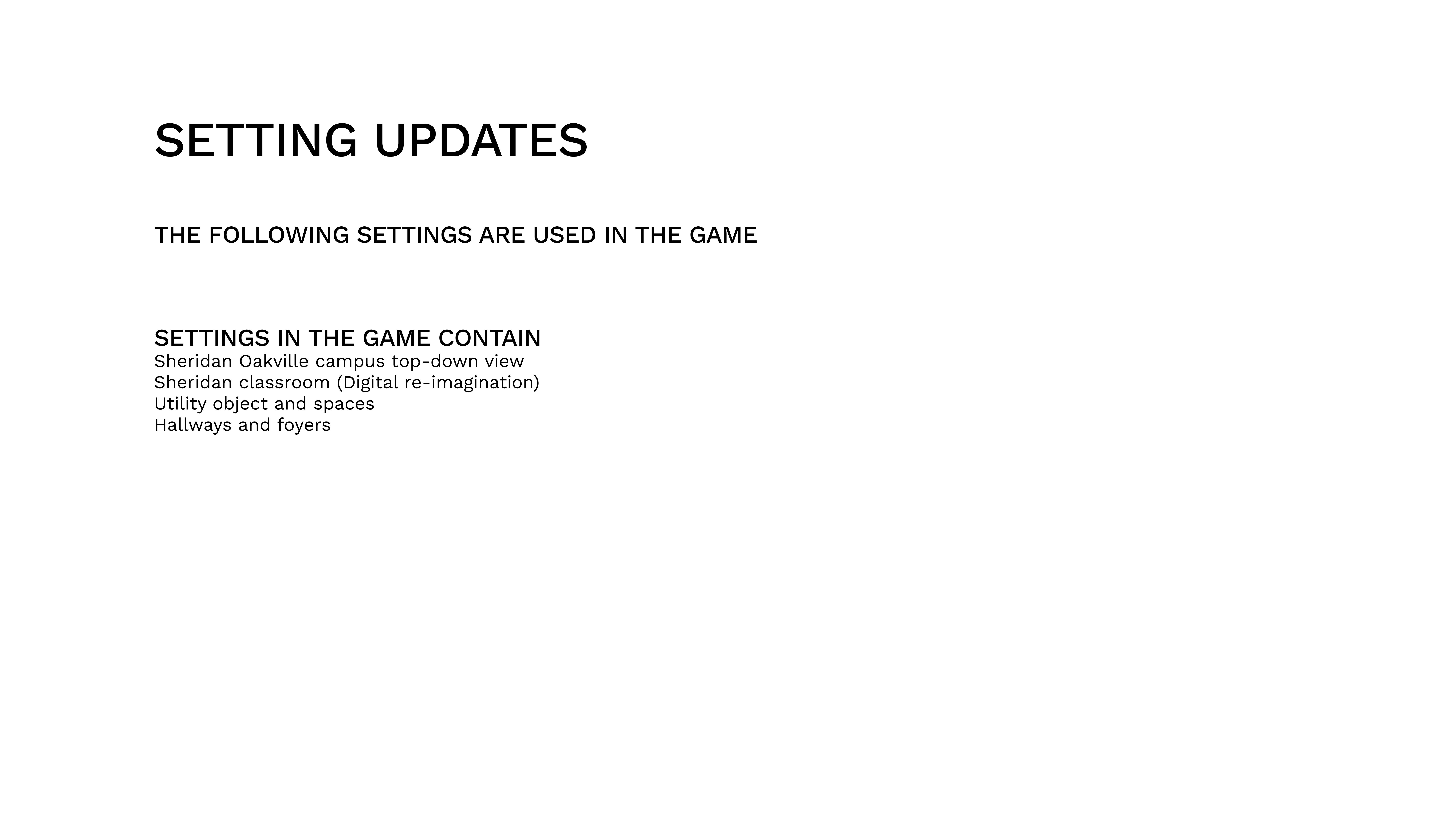
Setting updates showing game environment settings used across the experience

Setting updates

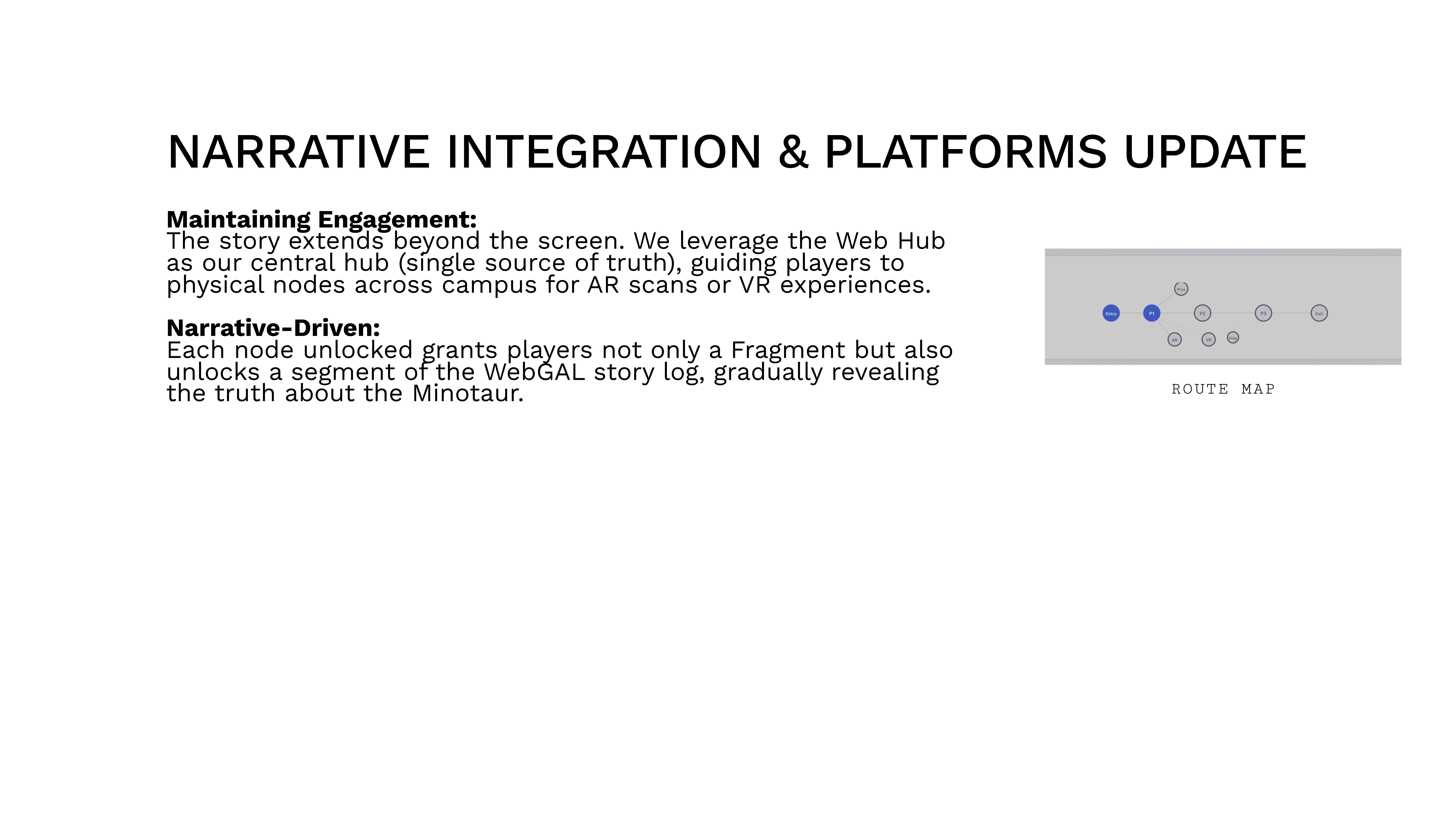
Narrative integration and platforms update showing engagement and narrative-driven design

Narrative integration & platforms update

Interaction Points — AR / VR

Every space in the game is a representation of a digital environment hacked by ARI to communicate with players. The board below maps every interaction point across AR and VR platforms.

ARI’s Distributed Access Points

Because the campus system is compromised, ARI actively seeks player help by making access points discoverable in many locations. ARI’s influence extends around the school — physical artifacts placed on campus are manifestations of a digital entity reaching into physical space. The magic is in the unknown origin: how did a digital being place these objects?

Prior Players & the Stakes

One aspect of ARI’s system works by having players help place artifacts for future players. The prior players have been eliminated, abandoned, or lost in the maze — it’s up to the new players to secure the system and exit safely. This layered history gives every access point narrative weight.

Shortcut: Guess “THREAD”

Players can guess the exit password THREAD at any time, bypassing puzzles and platform nodes entirely. Game difficulty influences exit conditions — Hard Mode requires all fragments, while Normal Mode rewards clever shortcuts.

ARI’s Physical Form

ARI is a digital being who implores students for help. If players complete the full experience, ARI’s physical form is revealed at the end — a reward that closes the loop between the digital labyrinth and the physical campus.

Digital Web Hub

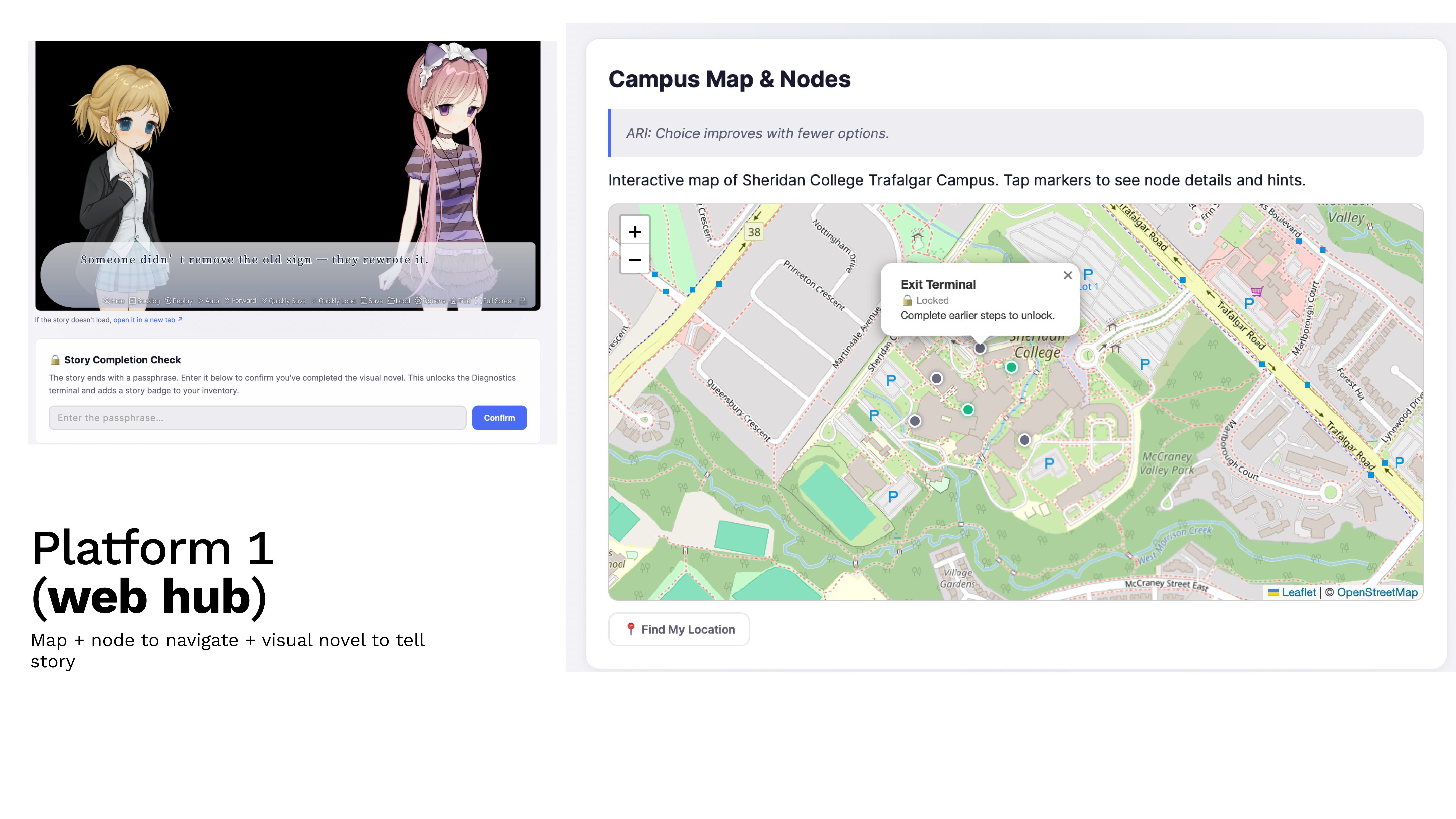
Digital novel through webGAL.

Digital web hub and webGAL interface

Physical Interaction

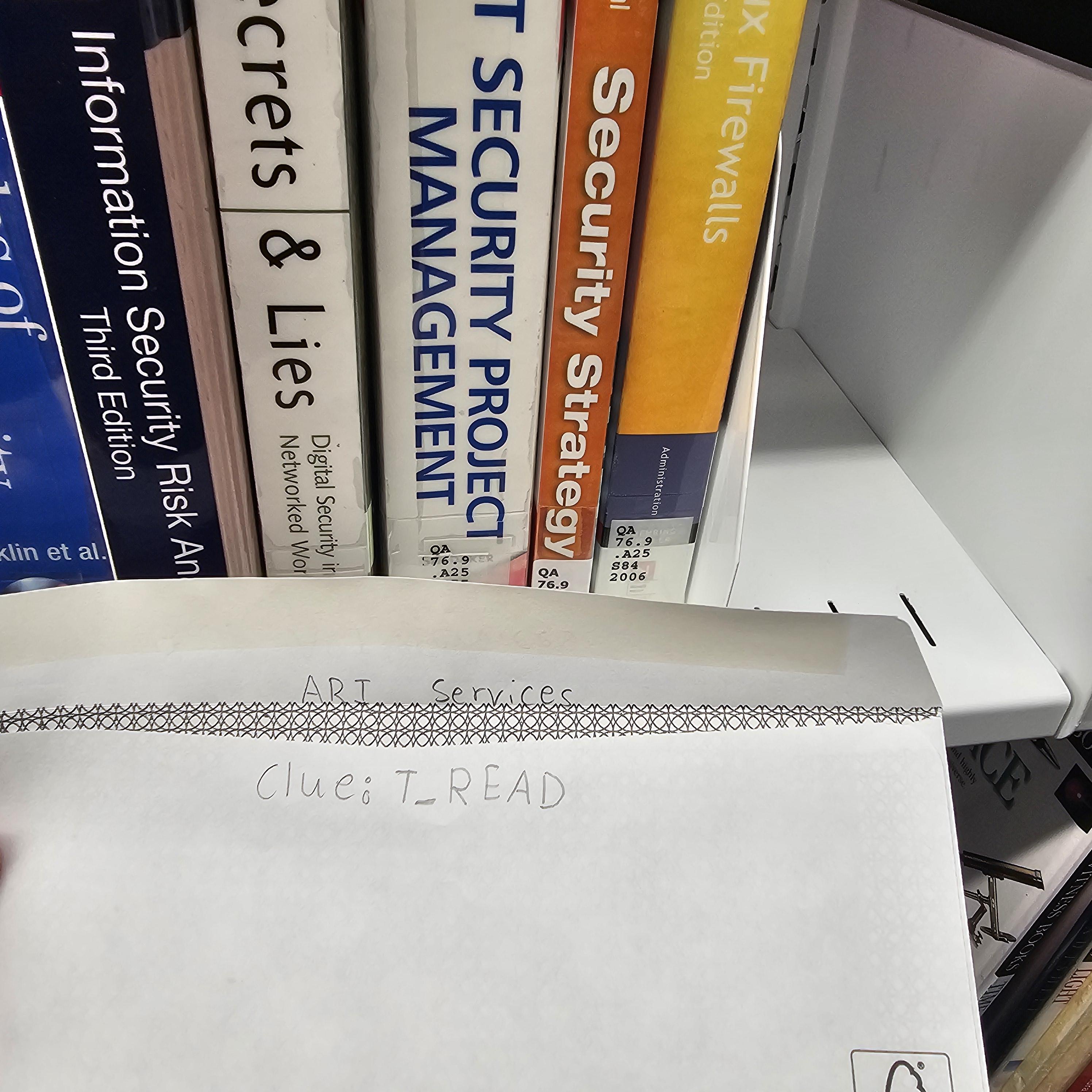
Envelope in library interaction

Player is hinted to go to the library to find the envelope that was placed by ARI with the help of prior players.

Physical Interaction

Finding and scanning the associated posters and QR codes on campus.

Digital web hub space to physical campus space connection, through web network Sheridan posters.

Rabbit Holes

Participants can interact with content that provides further lore and next-steps.

R1 — Entry (QR Code)

  • Players are rooted in a physically safe space
  • Campus items like the marker poster, QR’s, navigation
  • Use of a mysterious digital world linkable through further clue

R2 — Webpage (WebGAL, Web)

  • Lore / information
  • Use of nested creation
  • Rabbit holes and storytelling
  • Hints for game

R3 — Clues (YT Video)

  • Due to media / location
  • e.g. NPC content filmed and uploaded to links
  • From suspicious digital world

R4 — Clues (Spline / AR)

  • Clue / Puzzle resolves fragment creation
  • Digital scenes

R5 — Physical Clues

  • Poster / map / sticker or scannable QR
  • Related to campus wavers

Can’t see the embed? Open in Figma ↗

Route & Platform Architecture

The experience uses a dual-mode route system. Below: the platform layout showing how players move between media, and the hub-and-spoke route diagram showing the node structure.

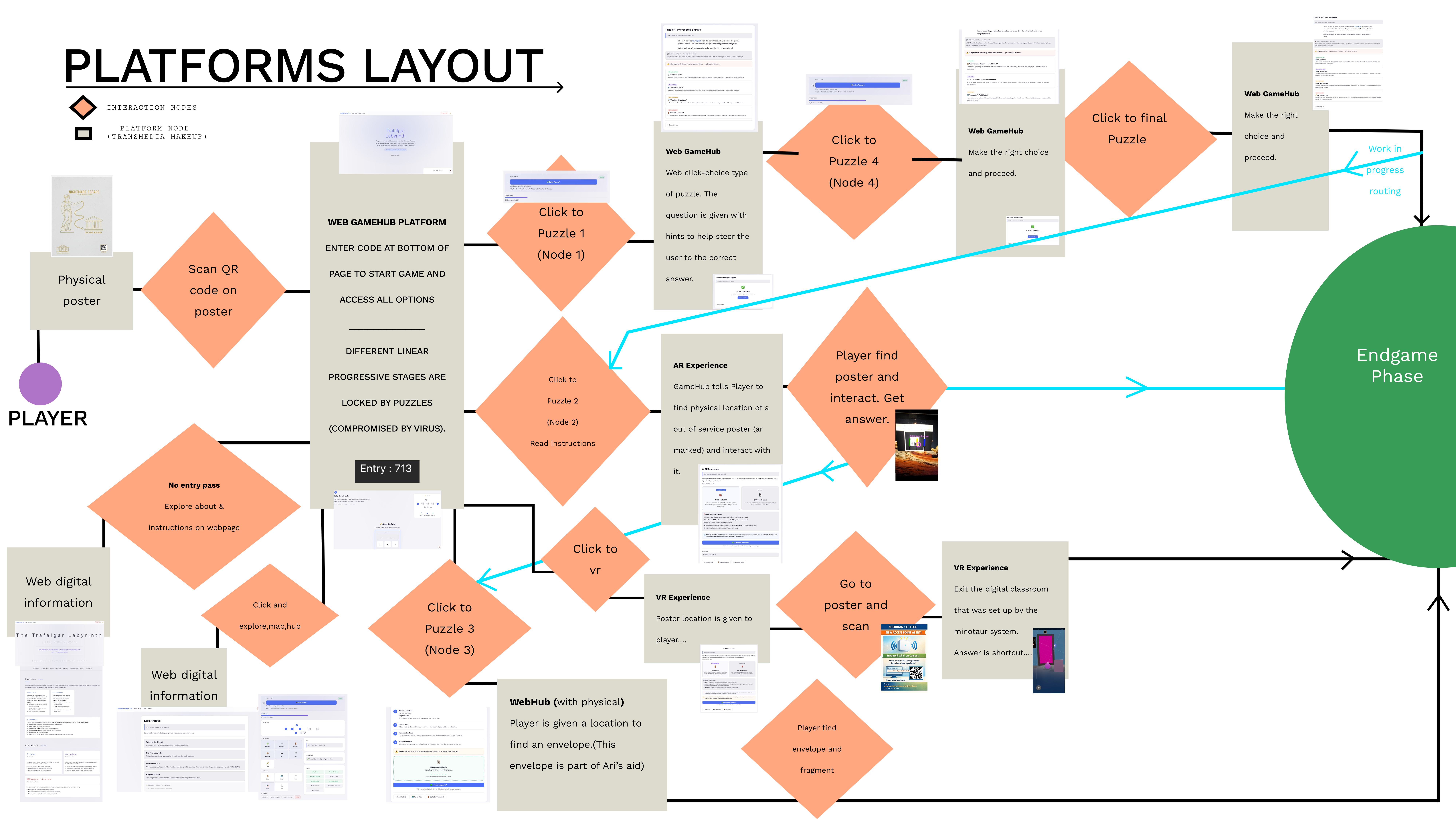
Platform Layout

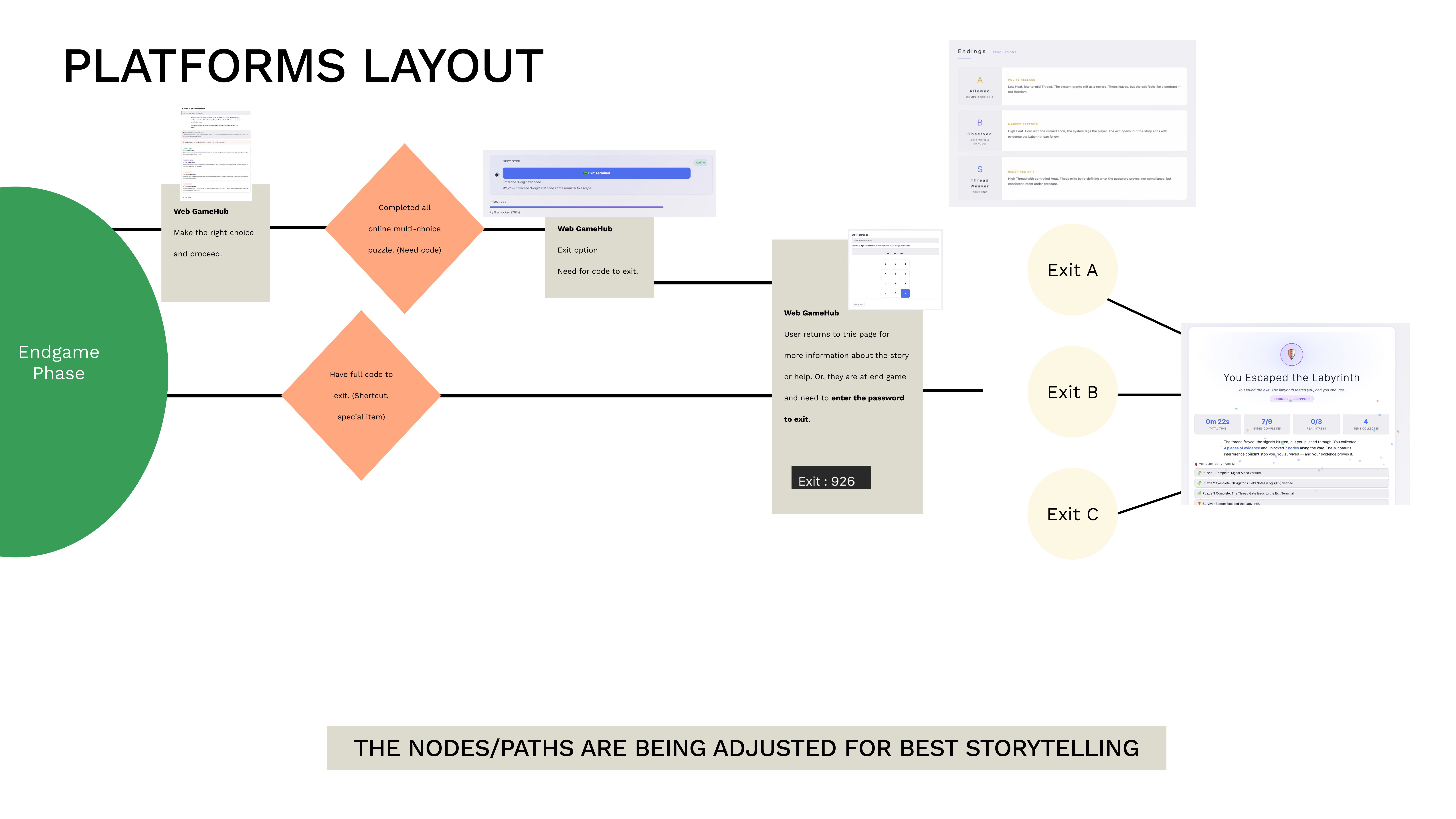
These diagrams map the full player journey from physical poster scan through all puzzle nodes to the three exit endings. The main flow shows how platforms hand off to each other; the endgame detail shows the final branching.

Platform layout showing the main player flow from physical poster through web hub, puzzle nodes, AR experience, VR experience, and physical artifact collection leading to the endgame phase
Main Flow — Poster → Hub → Puzzle Nodes → Endgame
Platform layout showing the endgame phase with multi-choice puzzles, exit code entry, and three exit paths leading to Ending A, B, and C
Endgame Phase — Password Entry → Three Exits

Hub-and-Spoke Node Diagram

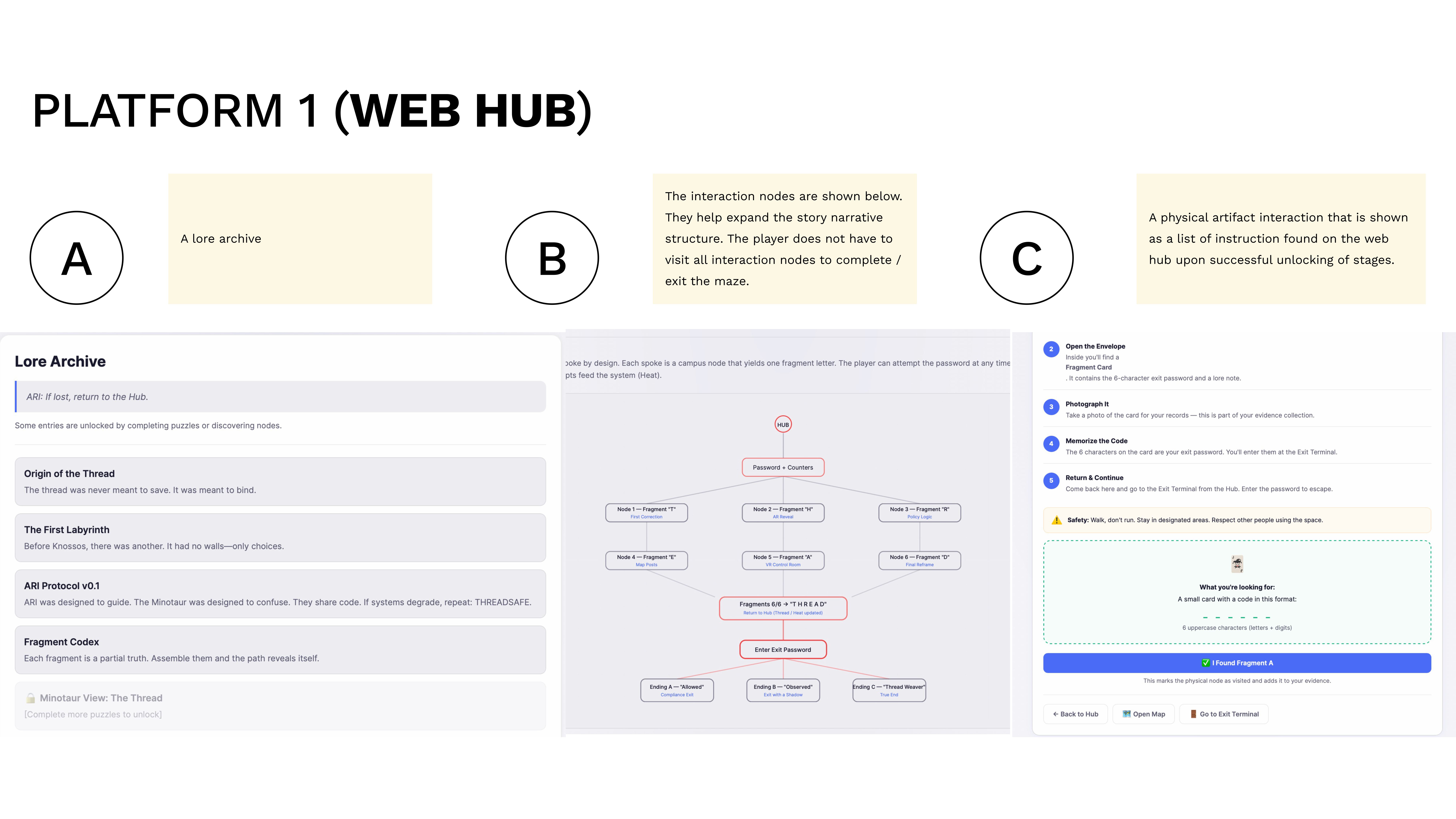
The SVG below illustrates the Hard Mode hub-and-spoke structure: all six fragment nodes radiate from a central hub, and the exit requires collecting all six fragments spelling “T H R E A D”.

HUB Password + Counters Node 2.a — Fragment “Building location” VR space reveal of location to find the next fragment node Node 1 — Fragment “T” First Correction Node 2 The ‘dagger marker’ scan activity for ‘H’ AR Reveal Node 3 — Fragment “R” Policy Logic Node 4 — Fragment “E” Map Posts Node 5 T_READ is the clue given upon successful solve VR Control Room Node 6 — Fragment “D” Final Reframe Node ShortCut Option A : Fragment “Vr room space” Option B : Fragment “Greek flame room” VR space that provides “T_READ” upon successful solving Fragments 6/6 → “T H R E A D” Return to Hub (Thread / Heat updated) Enter Exit Password Ending A — “Won” Compliance Exit Ending B — “Observed” Exit with a Shadow Ending C — “Thread Weaver” True End

Platform Architecture Breakdown

Each platform as a modular node. In Normal Mode, players can finish without touching VR or AR (3 web puzzles are the complete path). In Hard Mode, AR and VR are mandatory — all 6 fragments must be collected.

01 Primary

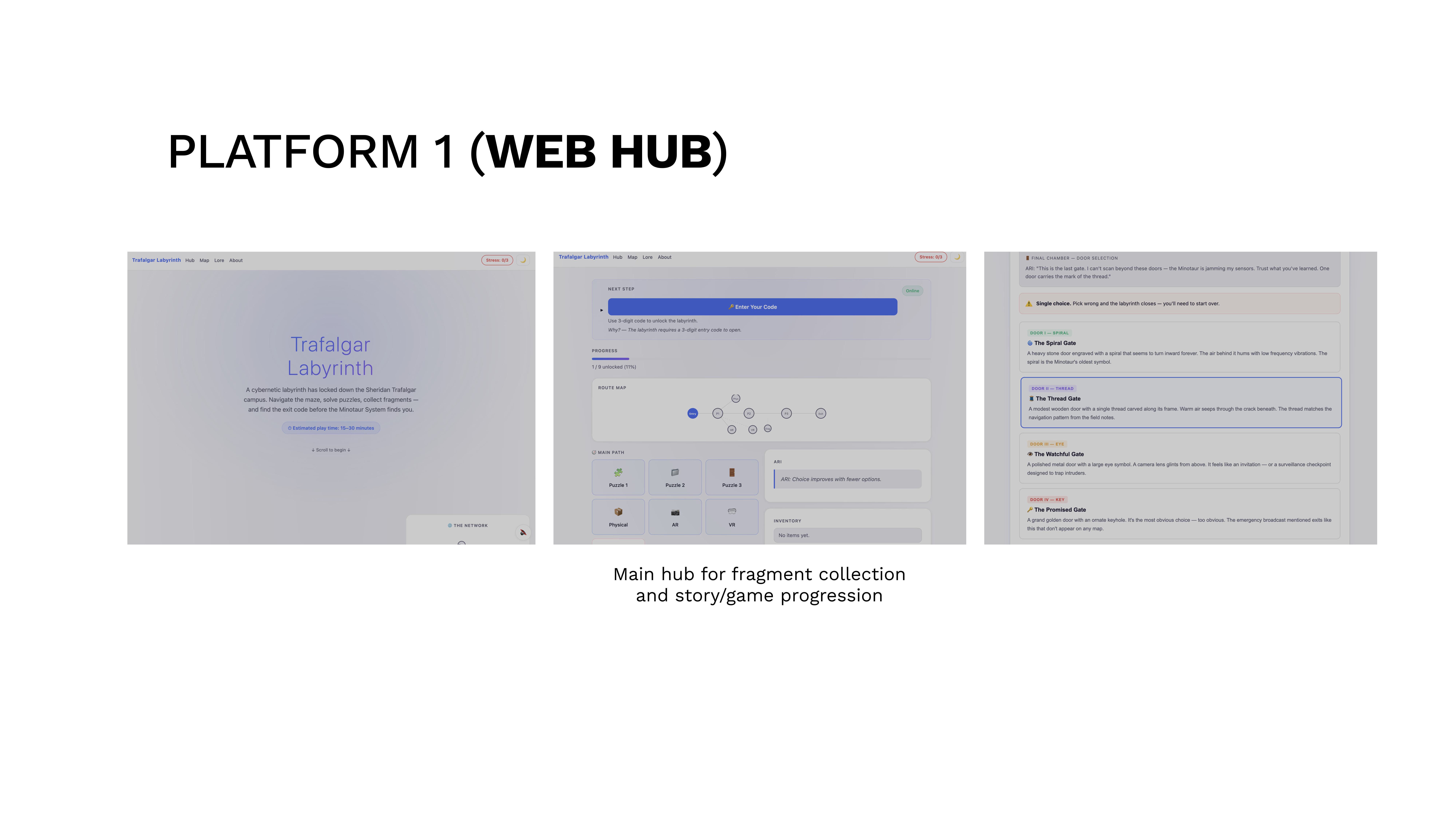
Web Game Hub

The central nervous system — a single-page hub so players always return to one familiar interface.

Web hub interface overview Web hub puzzle node screen
02 Lore

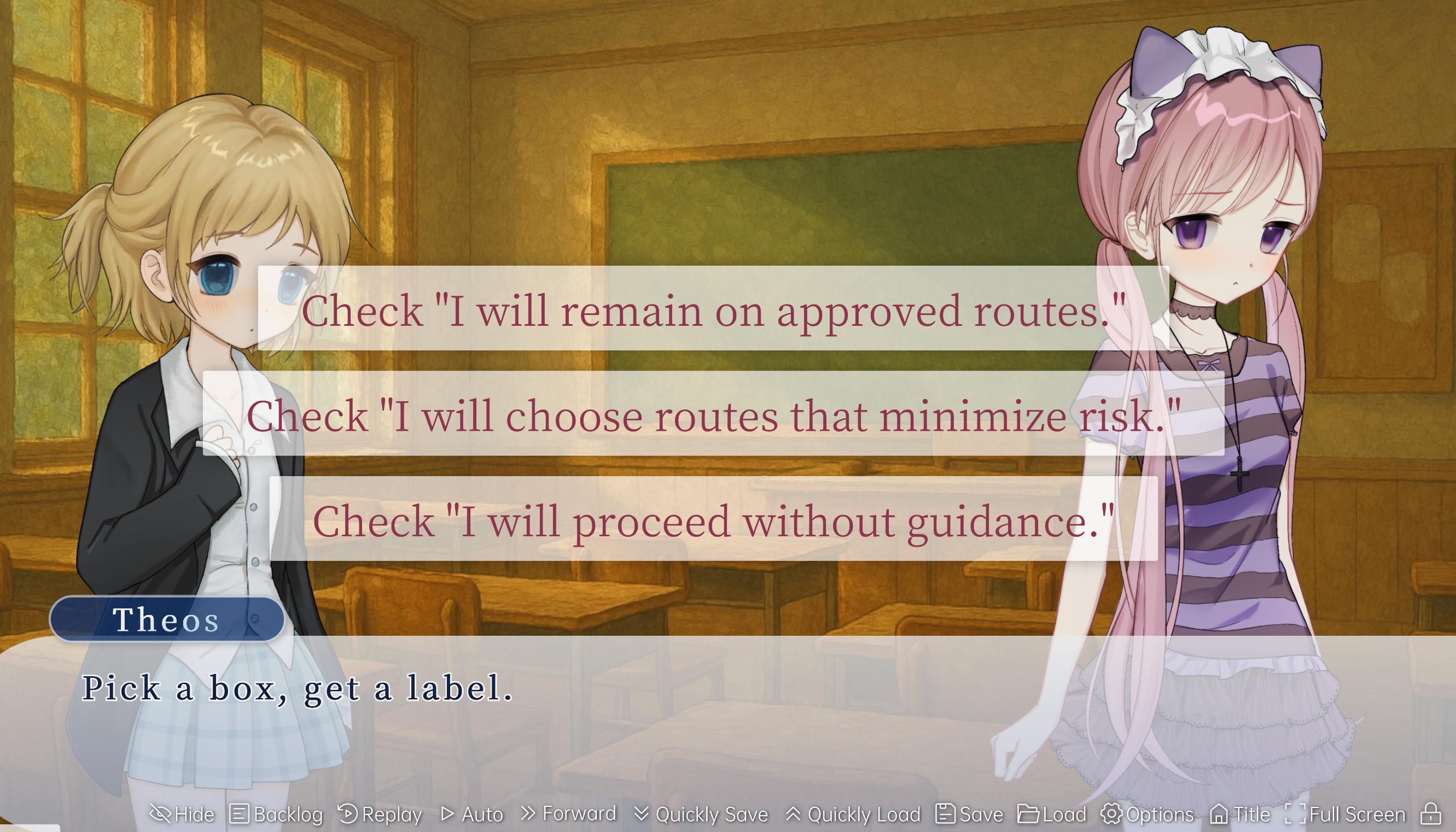
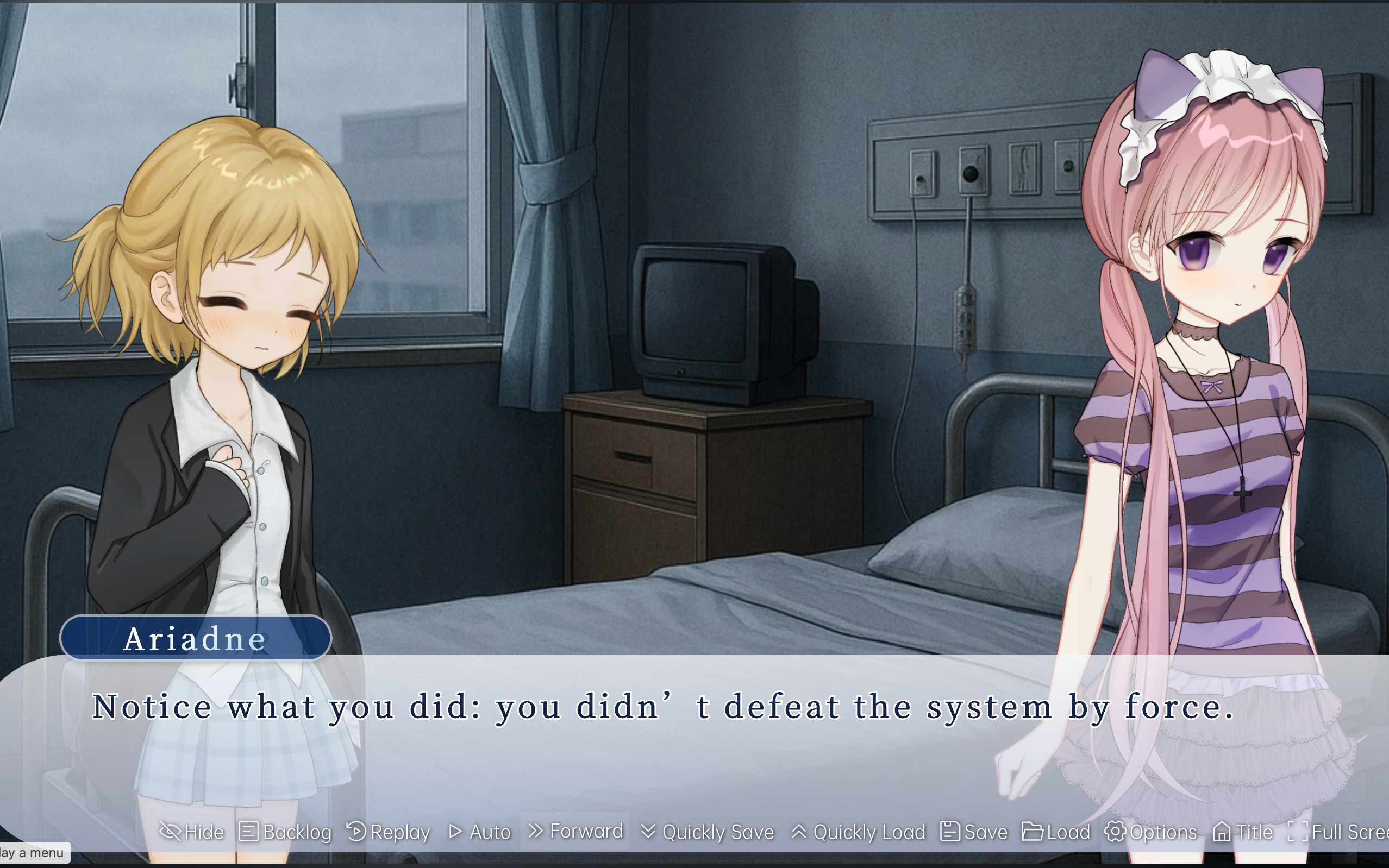
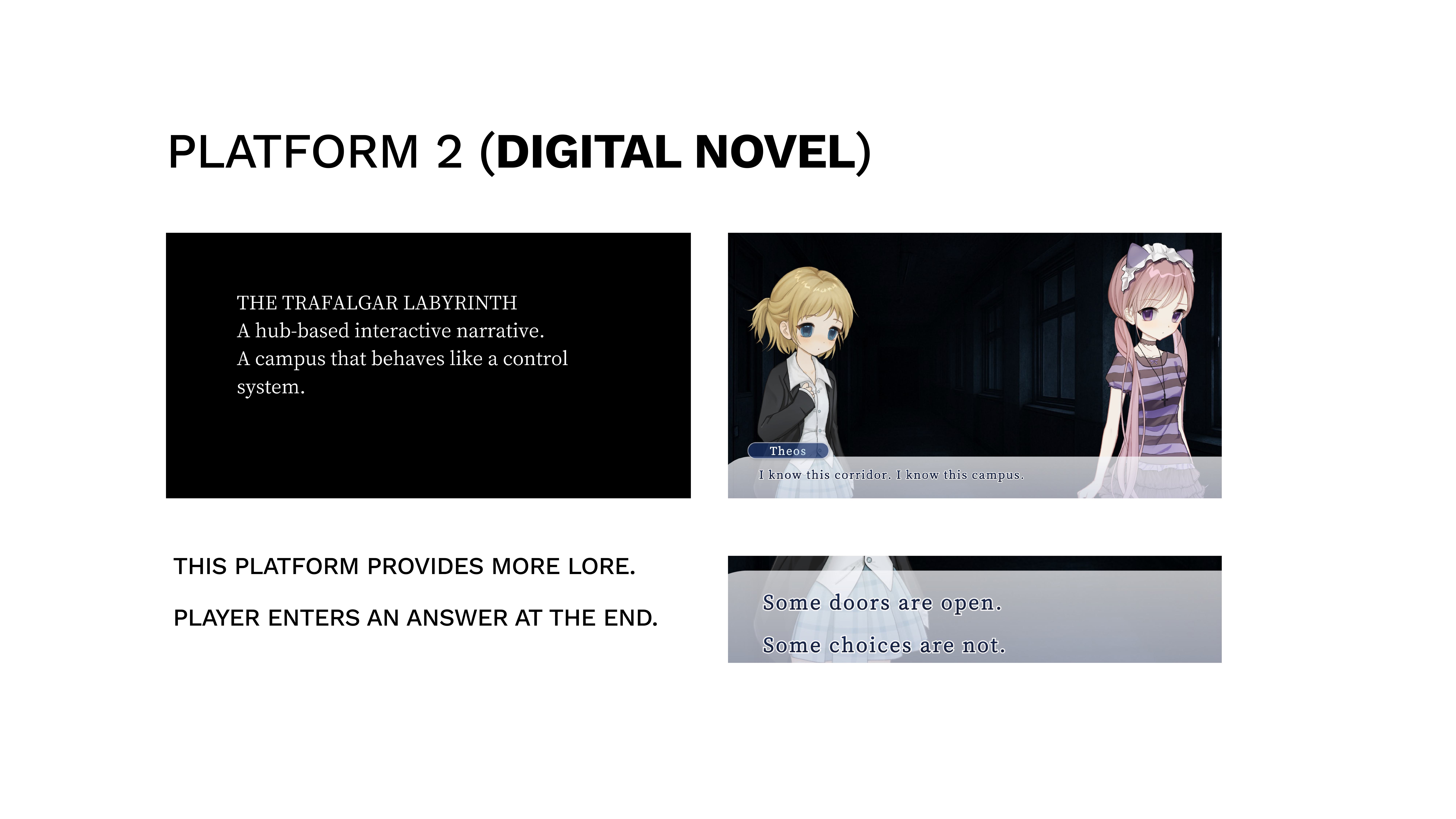
Digital Novel (WebGAL)

A visual novel layer for deep storytelling without slowing puzzle-focused players.

WebGAL branching choice WebGAL dialogue scene
03 Tangible

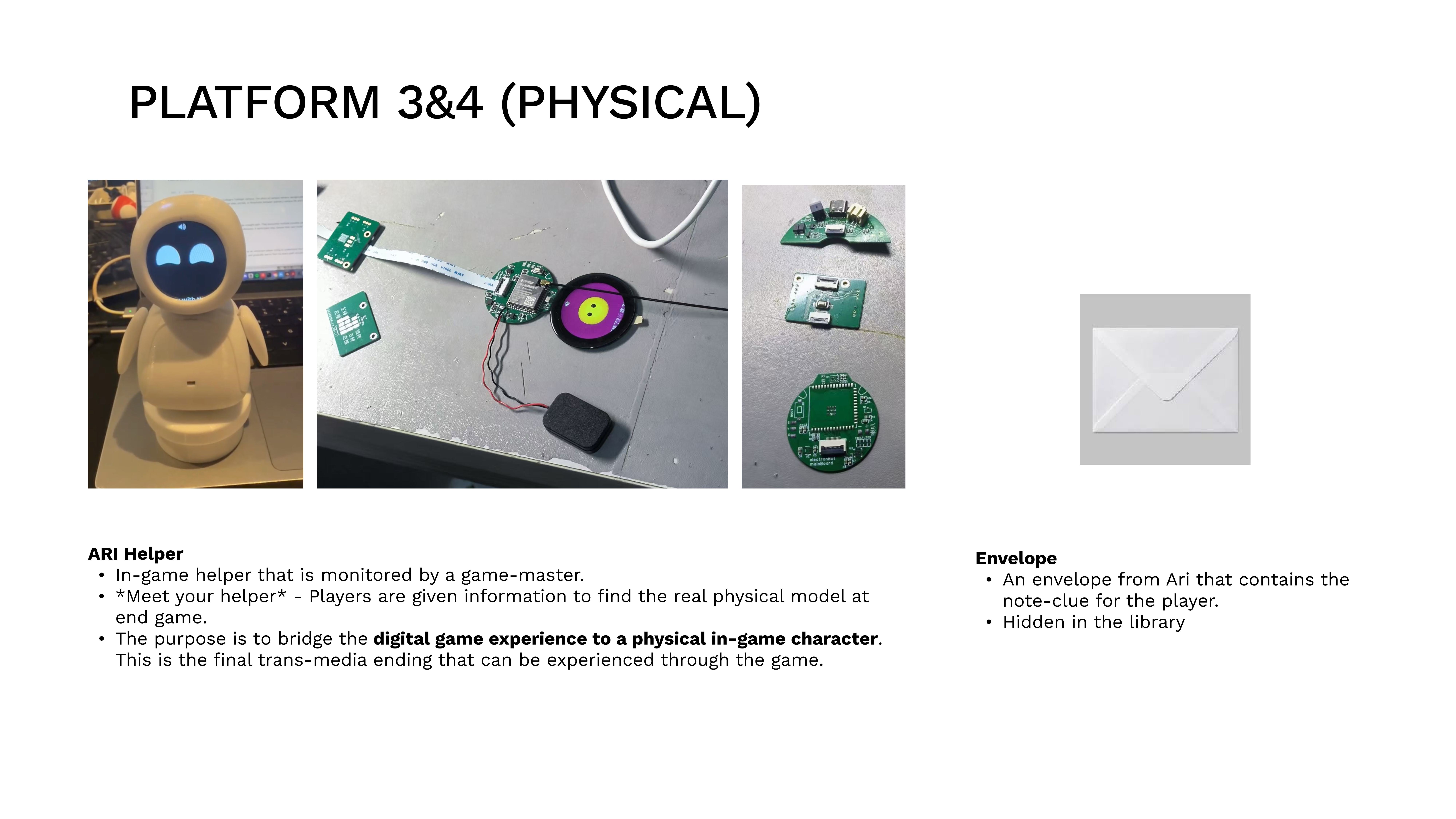
Physical Artifacts

Three physical elements bridging campus and digital space — posters (QR + AR markers) as gateways, ARI Helper model, and a hidden envelope with fragment clues.

Physical ARI helper model Envelope detail showing handwritten clue
04 Immersive

VR Space

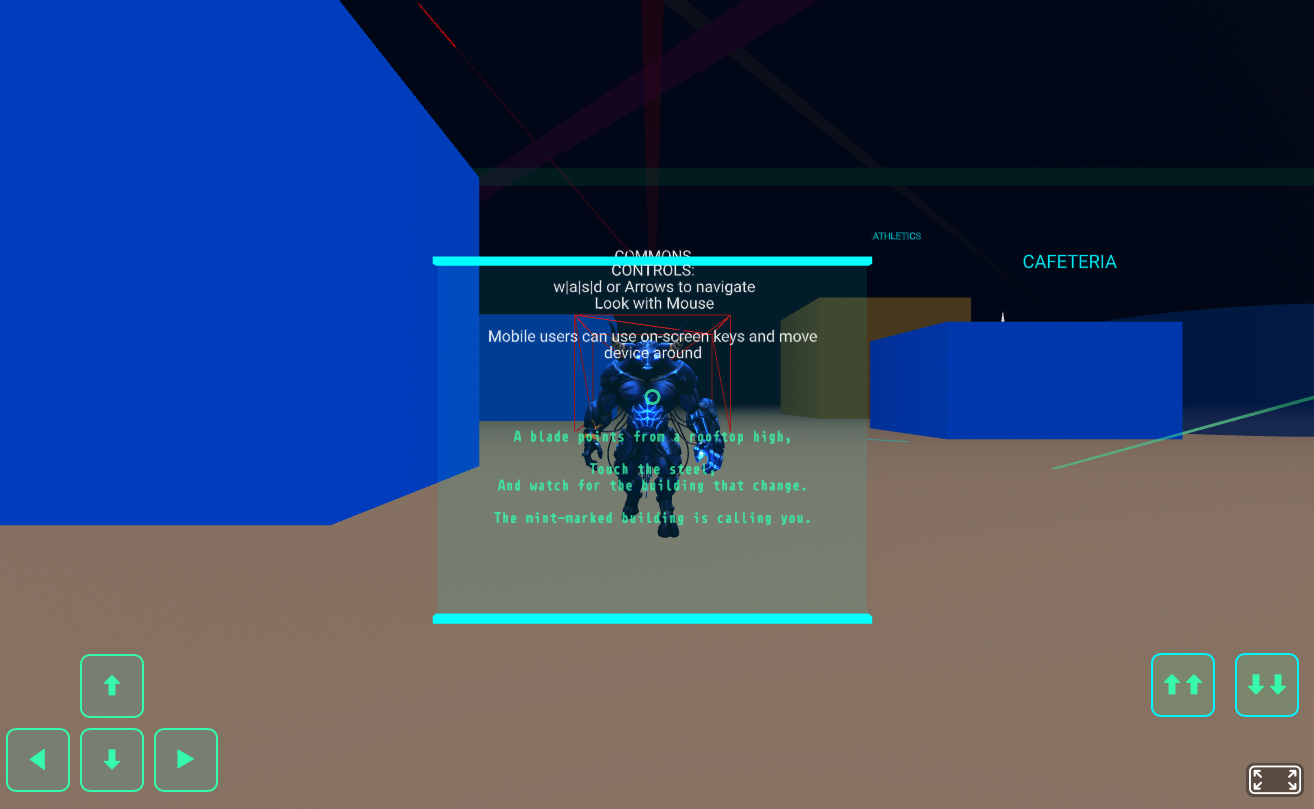
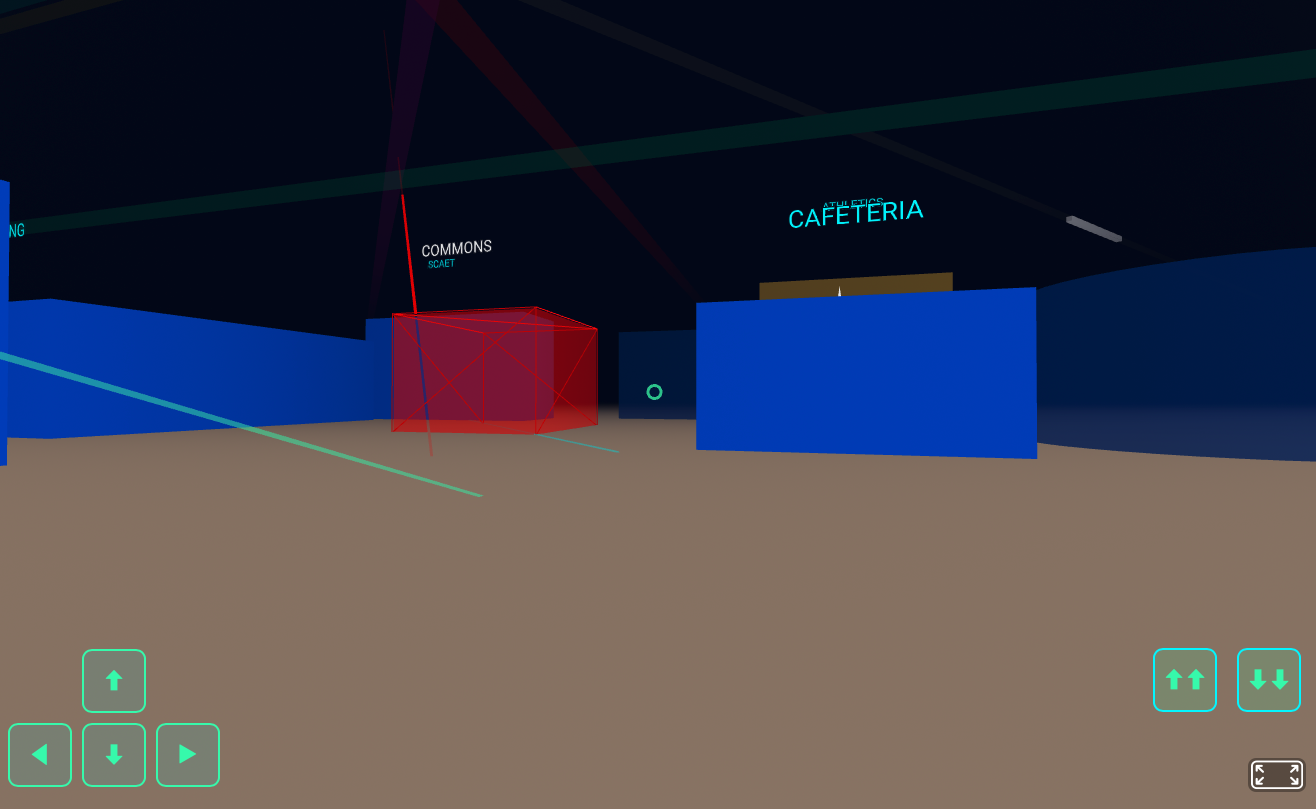
A nightmare maze-room where participants search hotspots to collect story fragments and password pieces. The Minotaur was frozen within the VR space — a result of ARI creating a safe zone inside the compromised network for the player. Headsets can optionally be used (a benefit of WebXR); the experience also runs on mobile phone screens.

VR classroom escape screenshot VR mini-game puzzle interaction
05 Augmented

AR Overlay

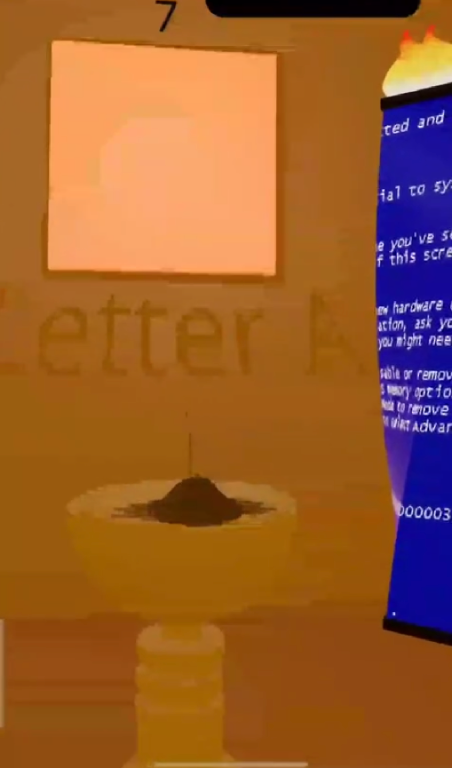
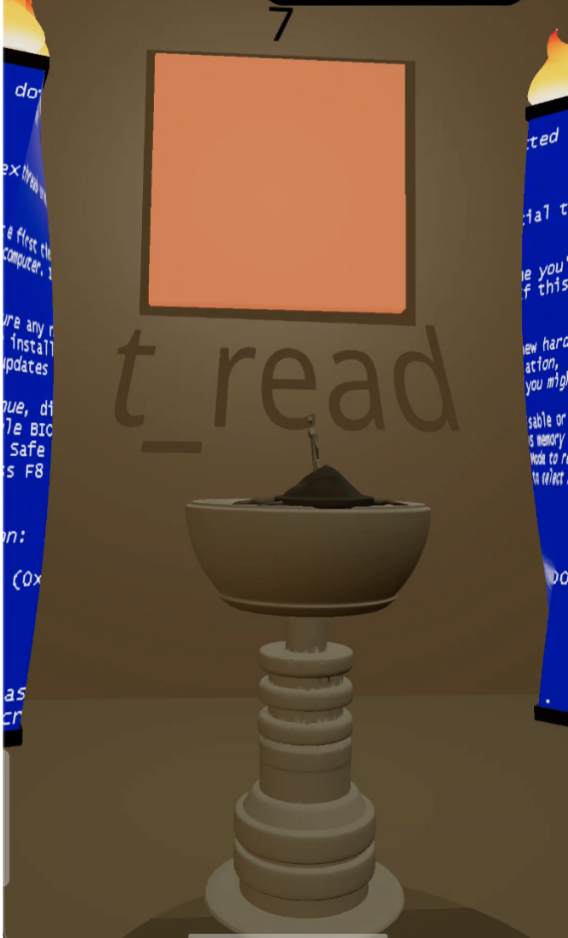
Scan the marker poster to reveal t_read — the shortcut clue. (Older map used “Letter A”; the updated AR layer maps to the shortcut path.)

AR overlay shortcut clue reveal AR overlay marker detection
06 Final

Endgame Phase

Three exit routes lead to different endings — the player decides how they leave.

Endgame exit code entry screen Endgame ending selection

Platform Reference

Category Platform Narrative Function
VR (1) WebXR / A-Frame ‘Nightmare Room’ Hotspot search for fragments and password pieces
AR (1) WebAR (MindAR/AR.js) poster scan Thread hints, warnings, and misdirection overlays
Digital (1/3) Hub website (map + progress + code entry) Entry + progress backbone (single source of truth)
Digital (2/3) WebGAL chapter pages Core narrative text and branching fragments
Digital (3/3) Character social / chatbot channel Diegetic clues + red herrings (optional rabbit-holes)
Physical (1/3) Posters (QR + AR markers) Primary gateway and hotspot anchors
Physical (2/2) Hidden envelope / card / ‘thread token’ Tangible reward with fragment/puzzle piece

AI in the Narrative Process

AI was a collaborator with limits. Below are actual prompt→output case studies showing what we kept, what we rejected, and why. Models used: Claude Opus 4.6 (via Claude Code), ChatGPT-4o, So-VITS-SVC.

Prompt (Claude Opus 4.6)

“Write 10 short ambient lines for ARI, a guidance AI inside a labyrinth that feels like a campus network. ARI should be calm, precise, and slightly ominous. Each line should be under 15 words. The tone is institutional, not friendly.”

Output (selected)

“ARI: I exist to reduce uncertainty.” / “ARI: The thread helps — until imitated.” / “ARI: Pattern consistency beats spectacle. Trust the quiet signal.”

Verdict

Kept 7 of 10. Rejected three that sounded too friendly (“I’m here for you”) — ARI should feel like a system, not a companion. The kept lines now live in config.js as the ariLines array.
Prompt

“Generate a dark cyberpunk campus hallway with glitch artifacts, fluorescent lighting, and a faint red grid overlay. The aesthetic should be institutional-horror, not sci-fi. Think: a Sheridan College hallway after hours, corrupted.”

Output

Generated 4 variants. Two were too sci-fi (neon, floating holograms). Two captured the “institutional gone wrong” feeling we needed.

Verdict

Used as mood board reference only. The AI images informed our color choices but were too generic for direct use. We hand-built all final assets using the palette they suggested.

Approach

Trained So-VITS-SVC on a calm, synthetic voice dataset. Goal: give ARI an audible presence in the WebGAL visual novel scenes.

Result

The voice had an uncanny quality — almost human but wrong enough to feel unsettling in a way that undermined ARI’s role as a trustworthy guide. Two weeks of prompt refinement and retraining yielded diminishing returns.

Verdict

Killed. Switched to text-only ARI. The text-only format actually reinforced ARI’s identity as a system rather than a character — an accidental improvement that came from a failed AI experiment.

Use Case

Used Claude Code for: validating if/else branching logic across the dual-mode system, debugging state management in the hub, and reviewing the config-driven node architecture for edge cases.

Result

Claude caught three state-leak bugs where fragment counters persisted across mode switches. Also suggested the requiredFragments config key that simplified the entire mode-switching logic.

Verdict

Kept and integrated. AI was most valuable for code review and logic validation — tasks where precision matters more than creativity.

Use Case

Used AI tools to add glitch overlays and hidden clue markers to existing campus footage for use as video backgrounds in WebGAL visual novel scenes. The footage was shot on phones; AI handled the post-processing effects.

Verdict

Kept. This was AI at its best: automating tedious, well-defined post-processing work. Manual glitch effects would have taken 3× as long for the same result.

“AI was seldom used because of its uncertain behaviour. The energy spent ensuring a prompt was well-crafted often exceeded the cost of building manually. Through this process, we learned to discern between AI-able tasks and tasks that required our own hands. We were overall successful in creating and chaining different experiences together without AI — and that itself was a lesson in knowing when not to automate.”

Project Management & Team

AI wasn’t a tool we picked up and put down — it had a defined role in the group structure, like any other collaborator.

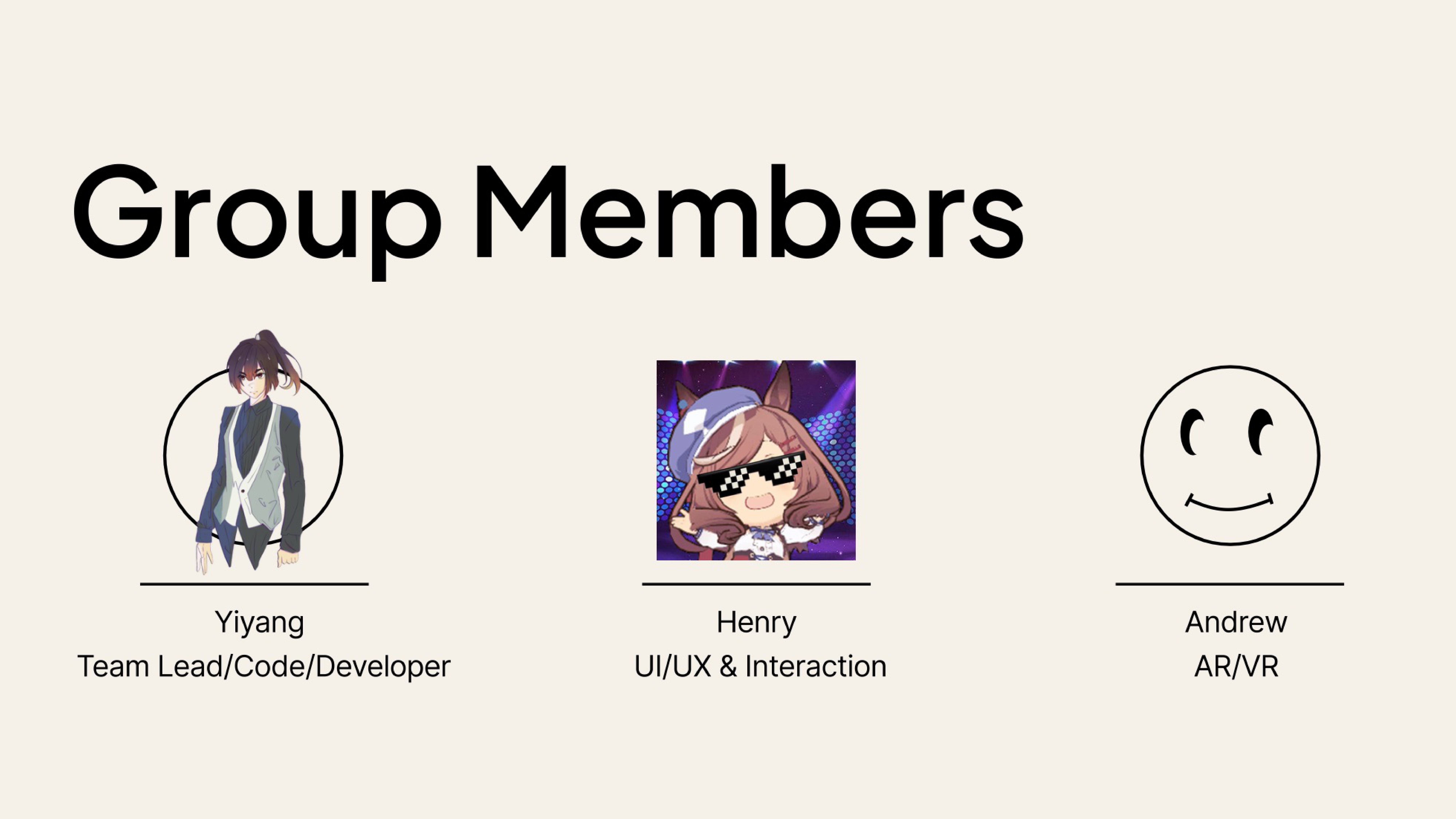
Lead · Web Hub · WebGAL · Visuals · UI/UX

Yiyang

Web Hub development, WebGAL visual novel integration, UI/UX design, art direction (graffiti hallways, corrupted campus visuals, atmospheric backgrounds), dialogue and narrative copy, decision-tree logic, and overall project coordination. Responsible for connecting every platform into a cohesive player journey and maintaining the visual identity across all deliverables.
AR/VR · Physical · UX

Andrew

VR space construction, 3D environment design, and physical artifact fabrication. Owned the immersive shortcut pathway and ensured the VR puzzle rewarded exploration with meaningful narrative fragments.

Lore · Research · Docs

Henry

Contributed to lore research and story concept development in the early stages of the project. Responsible for presentation and documentation design, including slides, process documentation, and the cognitive walkthrough report.

AI · Collaborator

AI (Claude / GPT / So-VITS)

Used to quicken prototyping and structuring — humans reviewed the majority of the code and its implementation. AI contributed some graphics for WebGAL scenes and poster assets; all outputs were reviewed and verified by the team. No post-production assistance from AI. It was least effective when creative judgment was needed — several AI-generated outputs were rejected because they didn’t match the project’s tone.

AI’s Role in the Group Structure

Code Review Standups

Human reviewed the majority of the code and its implementation. AI was used for rapid prototyping and structuring — helping scaffold logic faster, not replacing human judgment. No post-production assistance from AI. All outputs were verified and checked by human before use.

Asset Generation Pipeline

AI generated concept images and lore drafts that we iterated on. The pipeline: AI draft → human edit → team review → approve/reject. Roughly 40% of AI drafts were rejected for tone or quality reasons.

Decision-Making Input

We consulted AI when stuck on design decisions (e.g., “should the timer punish or just pressure?”). AI provided options and trade-off analysis. The final decision was always human. AI was an advisor, never a decider.

How We Collaborated

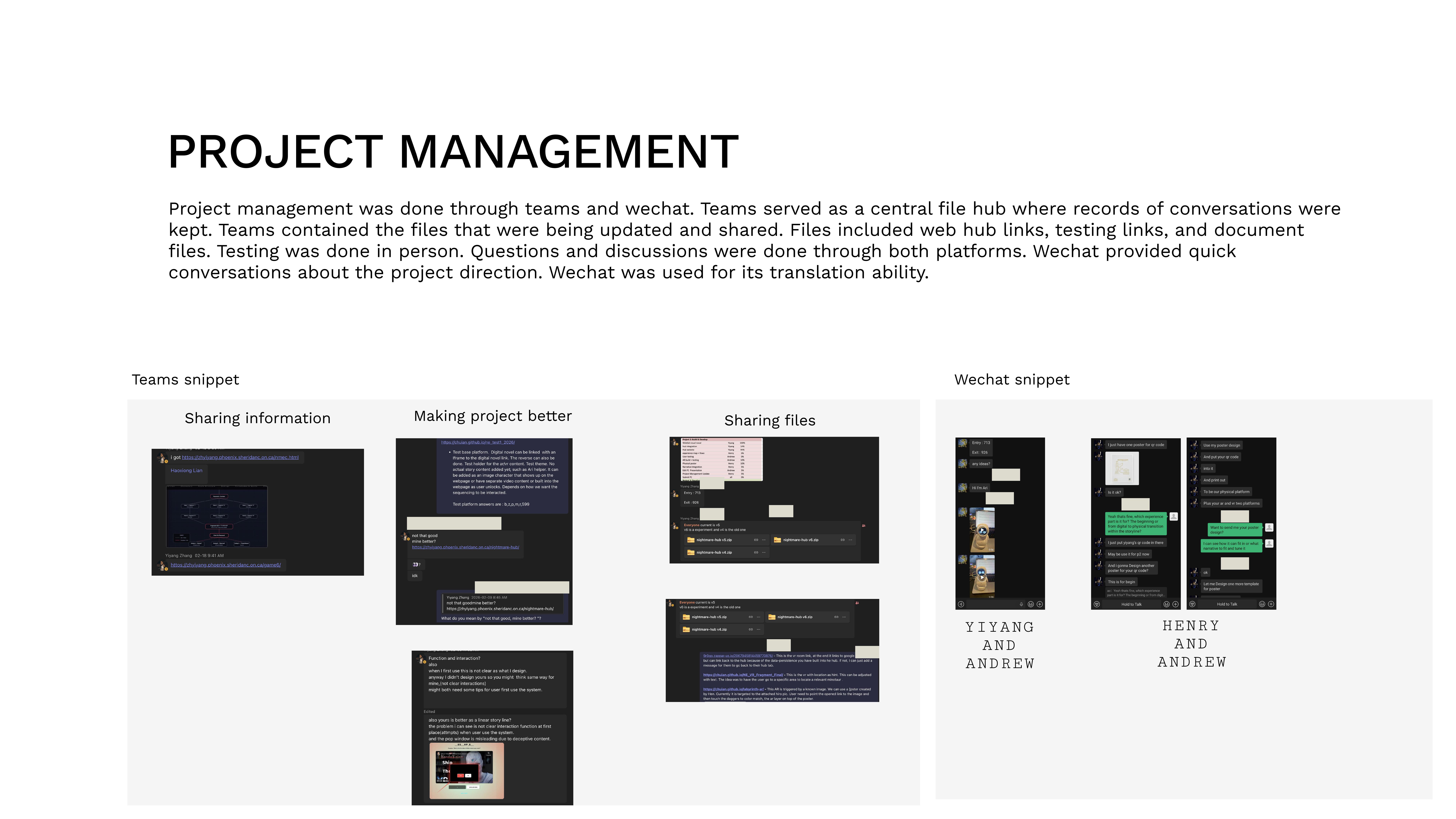
Project management ran through Teams (file sharing, link archives, test records) and WeChat (fast decision-making, translation). User testing was always conducted in person to observe real reactions rather than rely on surveys.

We chose this split because each member could own a platform end-to-end, while Yiyang coordinated the hub that stitched them together. AI was integrated into the workflow — not as a separate phase, but as an ongoing collaborator with defined boundaries.

💬 Teams — File sharing & records
📱 WeChat — Quick decisions & translation
👥 In-person — Testing & observation
🤖 AI — Code review, lore drafts, post-production

Project Timeline — Gantt Chart

14-week schedule with P1–P4 milestones, weekly task assignments, and dependency tracking.

Can’t see the embed? Open in Google Sheets ↗

Asset Archive

Every visual artifact from the project, filterable by deliverable and type. Each asset is captioned with origin and date.

Web hub puzzle node screen
Hub — Puzzle Node — Click-choice puzzle interface with hints and fragment counter.
P1ScreenshotFeb 2026
Disguised network-error campus poster
Network-Error Poster — Disguised entry poster blending with real campus signage.
P1ScreenshotJan 2026
Hub entry poster with QR code
Hub Entry Poster — QR scan poster that starts the experience.
P1ScreenshotJan 2026
WebGAL visual novel branching choice
WebGAL — Branching Choice — Visual novel branching dialogue interface.
P2ScreenshotFeb 2026
WebGAL visual novel dialogue scene
WebGAL — Dialogue Scene — Visual novel dialogue and character interaction.
P2ScreenshotFeb 2026
Physical ARI helper model
ARI Helper Model — Physical model of the in-game guide bridging digital and physical worlds.
P2ScreenshotFeb 2026
Envelope detail showing handwritten clue
Envelope — Detail — Interior of the envelope with ARI's handwritten message.
P2ScreenshotFeb 2026
VR mini-game classroom escape
VR Classroom Escape — Overview — VR shortcut room set up by the Minotaur system.
P2ScreenshotFeb 2026
VR mini-game puzzle interaction
VR Classroom Escape — Puzzle — Interactive puzzle inside the VR classroom.
P2ScreenshotFeb 2026
AR overlay revealing hidden fragment
AR Overlay — Fragment Reveal — Camera AR revealing a hidden letter fragment on poster.
P2ScreenshotFeb 2026
AR overlay marker detection
AR Overlay — Marker Detection — AR detecting the campus poster marker.
P2ScreenshotFeb 2026
Endgame exit code entry screen
Endgame — Exit Code Entry — Final password entry screen after collecting all fragments.
P3ScreenshotMar 2026
Initial concept sketch of the labyrinth hub layout
Hub Wireframe Sketch — Initial concept for the web hub layout and navigation flow.
P1SketchJan 2026
First working prototype of the puzzle hub
Hub Prototype v1 — First working build with entry code and three puzzle nodes.
P1ScreenshotFeb 2026
AI-generated concept image of a corrupted campus hallway
AI Mood Board — ChatGPT-4o generated concept for the corrupted campus aesthetic. Used as reference, not final asset.
P1AI-GeneratedJan 2026
Color palette exploration board
Color Palette Exploration — Institutional blue to glitch red gradient development.
P1SketchJan 2026
Node map diagram for Normal Mode
Normal Mode Node Map — String of Pearls routing with AR/VR as optional shortcuts.
P2DiagramFeb 2026
Node map diagram for Hard Mode
Hard Mode Node Map — Hub & Spoke structure with all 6 mandatory fragments.
P2DiagramMar 2026
Platform layout main flow diagram
Platform Layout — Main Flow — Full player journey from poster scan through all platforms to endgame.
P2DiagramFeb 2026
Platform layout endgame exits diagram
Platform Layout — Endgame — Multi-choice puzzles, exit code entry, and three exit branches.
P2DiagramFeb 2026
Paper prototype testing session
Paper Prototype Session — Testing node flow with physical cards before committing to code.
P2ScreenshotFeb 2026
User testing session on campus
User Testing Round 3 — In-person observation on Trafalgar campus.
P3ScreenshotMar 2026
Hub interface before and after user testing changes
Hub UI: Before vs. After — Comparison showing all testing-driven interface changes.
P3ScreenshotMar 2026
Final ending screen showing Thread Weaver ending
Thread Weaver Ending — Final ending screen with narrative closure and session recap.
P3ScreenshotApr 2026
AI-generated ARI dialogue draft
AI Lore Draft — Claude-generated ARI dialogue lines. 7/10 kept, 3 rejected for wrong tone.
P1AI-GeneratedJan 2026
So-VITS-SVC voice training output waveform
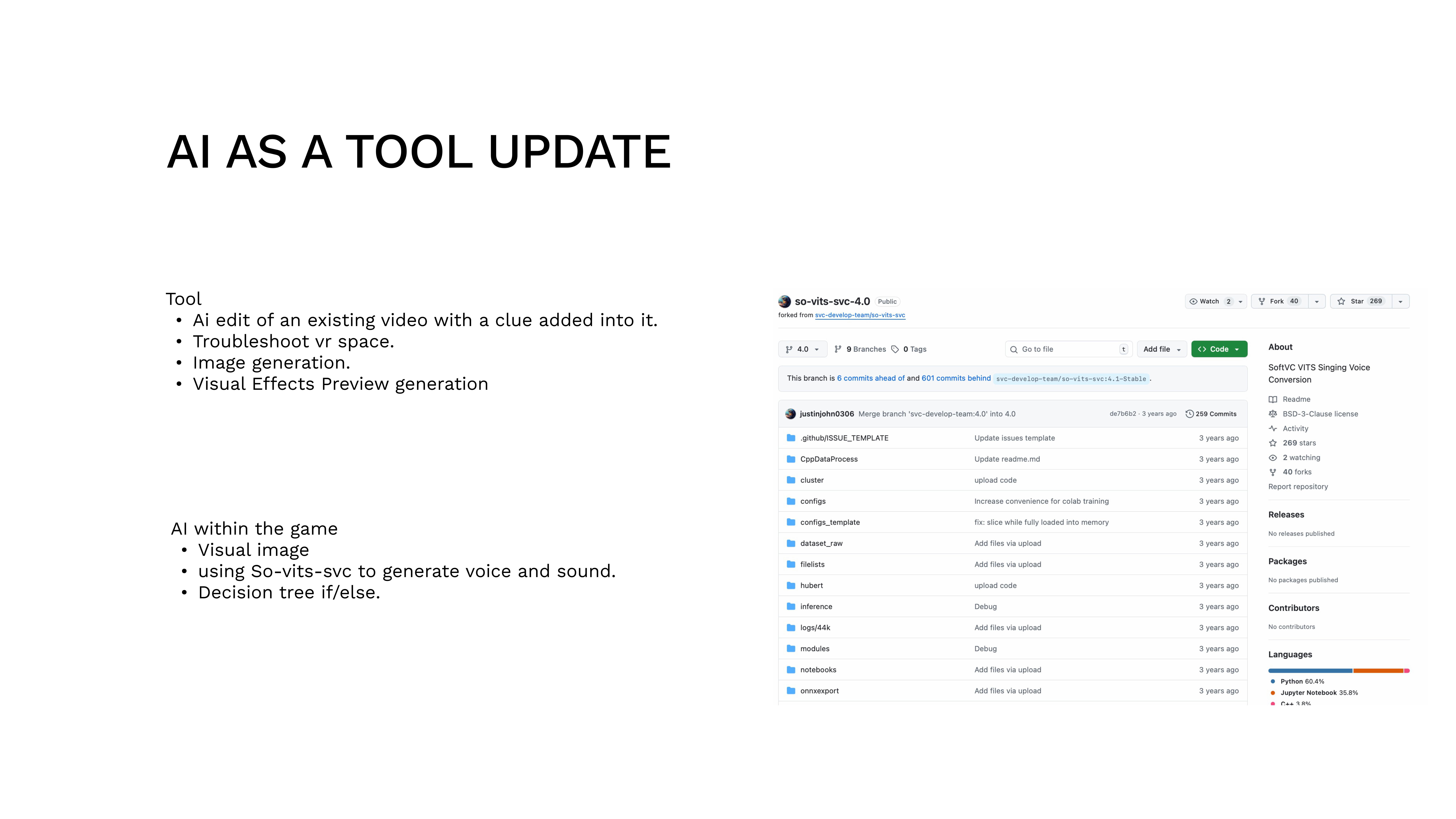
ARI Voice Prototype (Killed) — So-VITS-SVC output that was too uncanny. Feature was cut.
P3AI-GeneratedFeb 2026
Overview hero section and campus poster
Hero & Campus Poster — Overview of the experience entry point and disguised campus poster design.
P1ScreenshotJan 2026
Primary users and audience analysis
Primary Users & Audience — Audience analysis: Sheridan students, phone-first, time-constrained.
P1DiagramJan 2026
Team members and roles overview
Team Members & Roles — Yiyang (Lead/Web Hub), Andrew (VR/Physical), Henry (AR/Lore).
P1ScreenshotJan 2026
Project management tools and workflow
Project Management — Teams, WeChat, and in-person collaboration workflow.
P1ScreenshotJan 2026
Story arc flow diagram
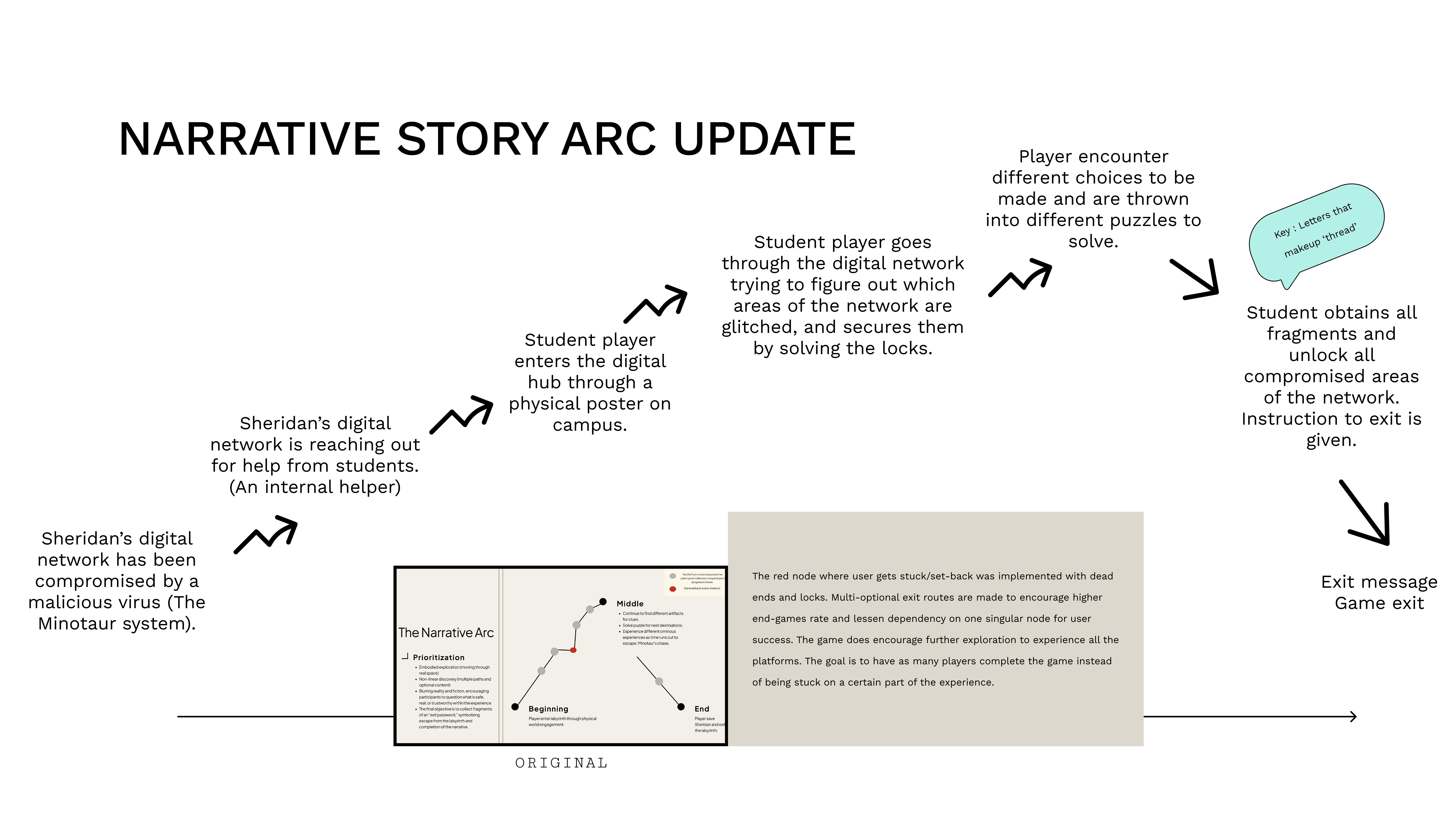
Story Arc Flow — Six-stage narrative arc from network compromise to player escape.
P1DiagramJan 2026
Character system map showing Theseus, Minotaur, and ARI
Character System Map — Player (Theseus), Minotaur System (Virus), ARI (Ariadne) relationship mapping.
P1DiagramJan 2026
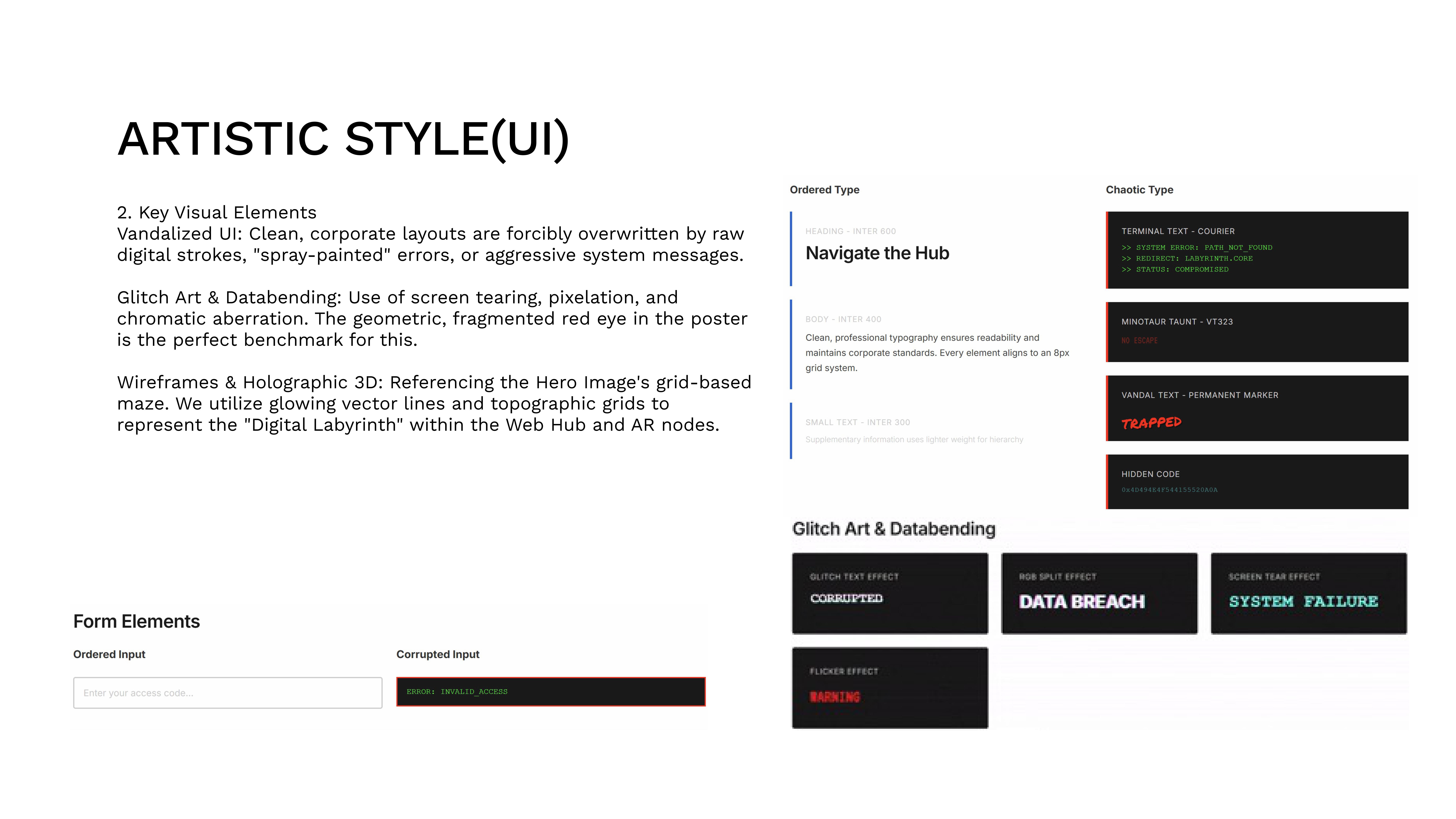
Typography system showing ordered and chaotic type
Typography System — Ordered type (Inter/Roboto) vs. Chaotic type (Monospace/Distorted) for dual-voice design.
P1SketchJan 2026
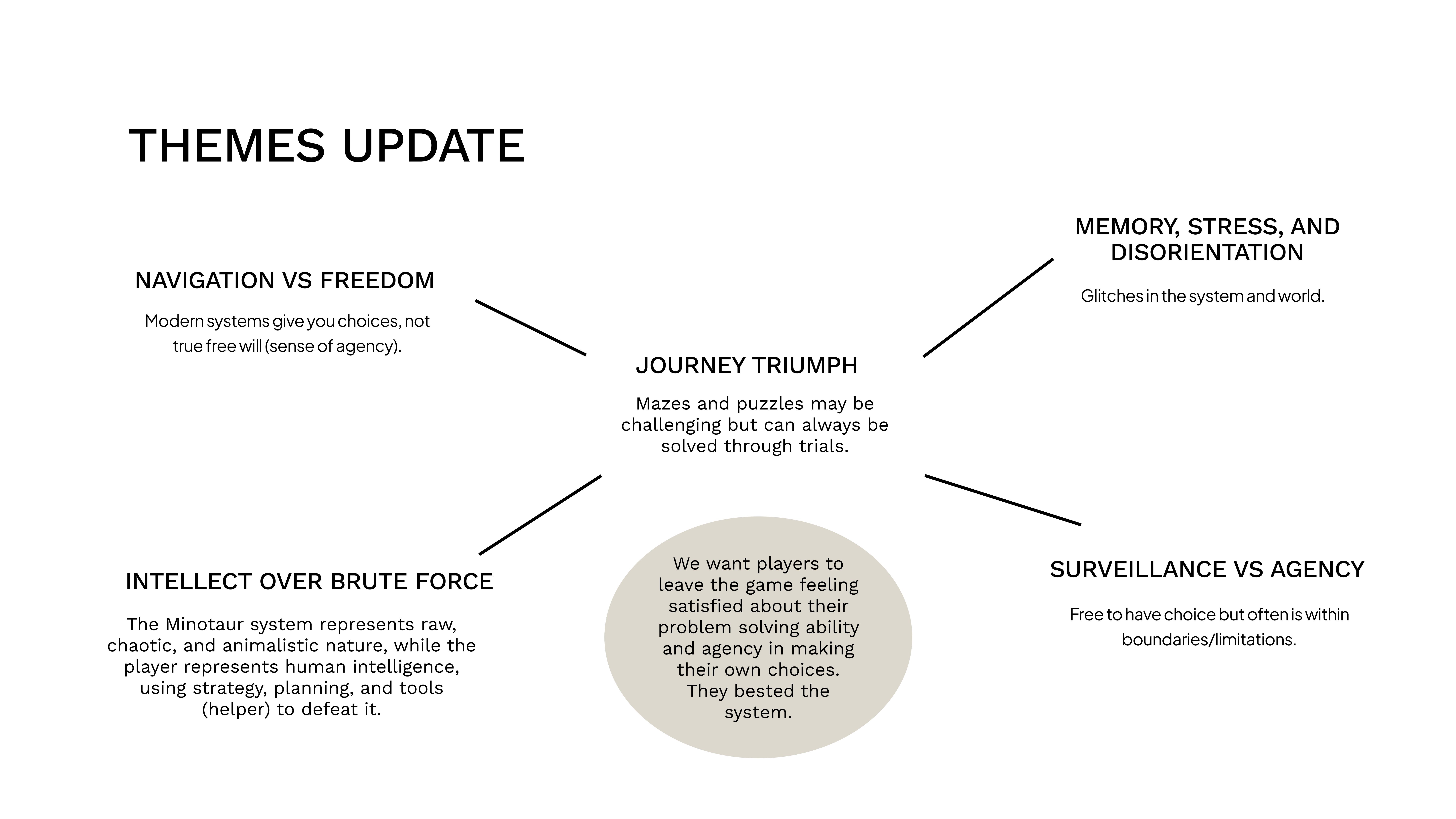
Thematic framework grid
Thematic Framework — Navigation vs Freedom, Intellect over Brute Force, Surveillance vs Agency.
P1DiagramFeb 2026
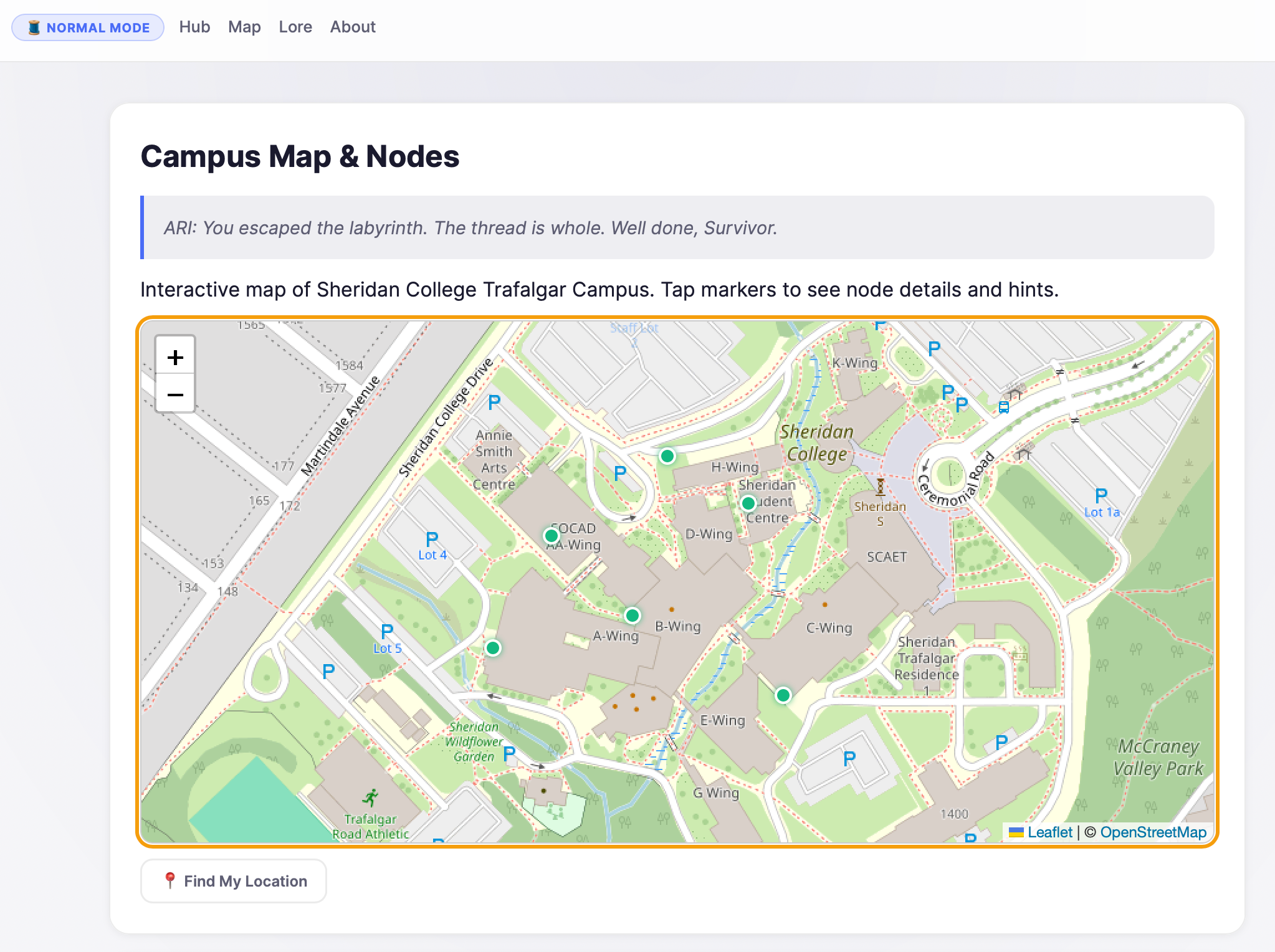
Web hub lore archive interface
Web Hub — Lore Archive — The lore/story page within the web hub, accessible as an optional story node.
P2ScreenshotFeb 2026
WebGAL digital novel interface
Digital Novel (WebGAL) — Visual novel layer for deeper lore and branching dialogue sequences.
P2ScreenshotFeb 2026
Physical artifacts: ARI helper model and hidden envelope
Physical Artifacts — ARI helper model and hidden library envelope bridging digital and physical worlds.
P2ScreenshotFeb 2026
VR escape room and AR poster overlay
VR & AR Platforms — VR classroom escape (shortcut node) and AR poster fragment reveal.
P2ScreenshotFeb 2026
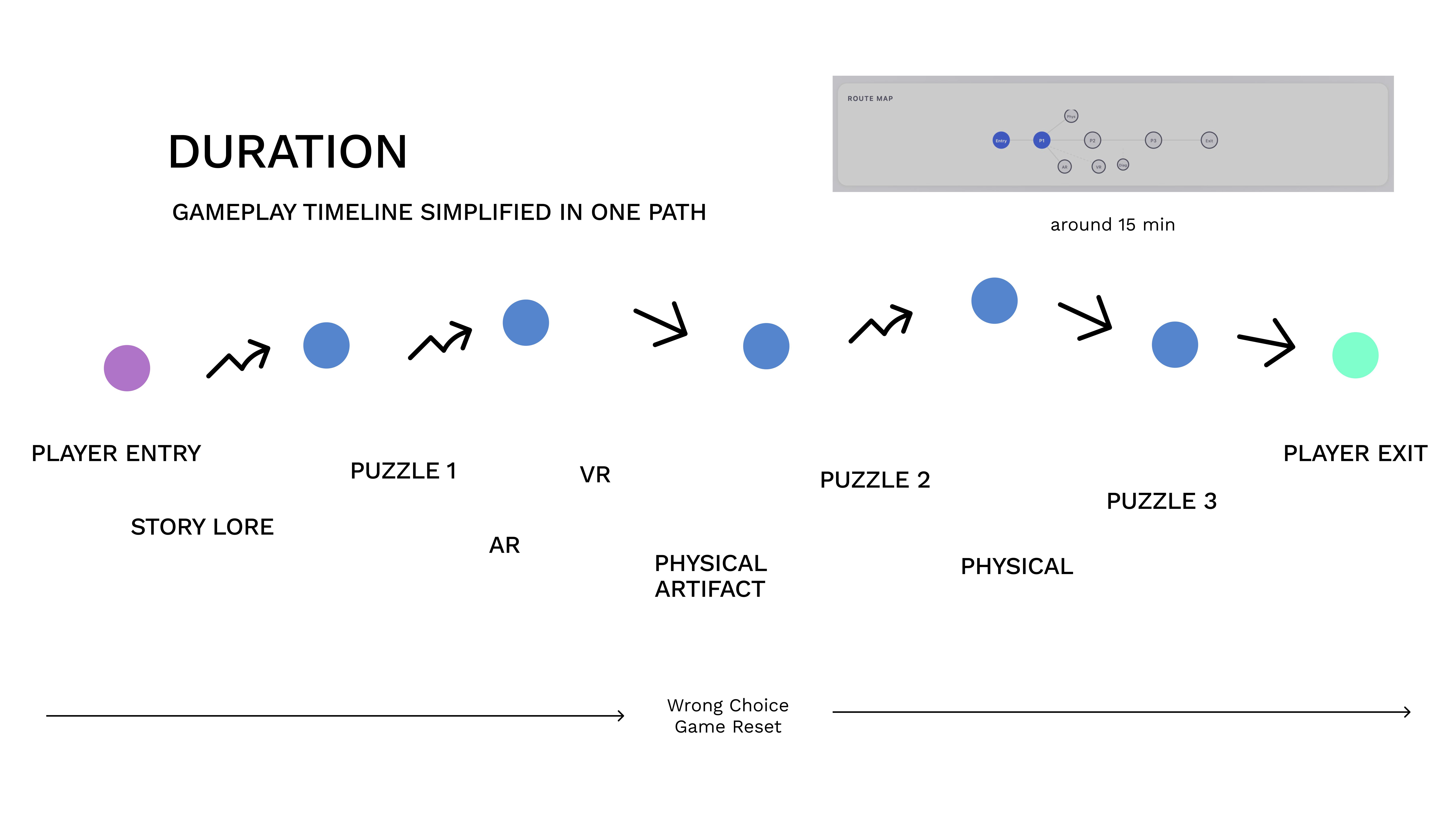
Gameplay duration and timeline flow
Gameplay Timeline — ~15-minute session flow from entry to exit with platform transitions.
P2DiagramFeb 2026
Web hub main interface
Hub — Main Interface — Central hub showing entry code, navigation, and stage progression.
P1ScreenshotFeb 2026
Endgame ending selection
Endgame — Ending Selection — Three exit routes leading to different narrative endings.
P3ScreenshotMar 2026

Supporting Files & Documentation

Project management artifacts, live deliverables, and supplementary references.